Tesla 12V Battery Explained: Warning Signs, Lithium Upgrade, Jump-Starting & Replacement (2026)
Tesla 12V Battery Explained: Warning Signs, Lithium Upgrade, Jump-Starting & Replacement (2026)

一句话结论
What your Tesla's low-voltage (12V) battery does, lead-acid vs. lithium, the warning signs it's failing, how to jump-start and open a dead frunk safely, and 2026 replacement costs.
Ask most Tesla owners about “the battery,” and they’ll talk about range, charging curves, and the big high-voltage pack under the floor. But the part most likely to leave you stranded at 7 a.m. isn’t that $10,000+ pack — it’s a small, cheap auxiliary battery that runs the same job it does in a gas car: waking the computers, popping the door handles, and closing the contactors that let the main pack do anything at all. When your Tesla’s low-voltage battery quits, the car can go from “perfect” to “won’t even unlock” overnight, often with little warning.
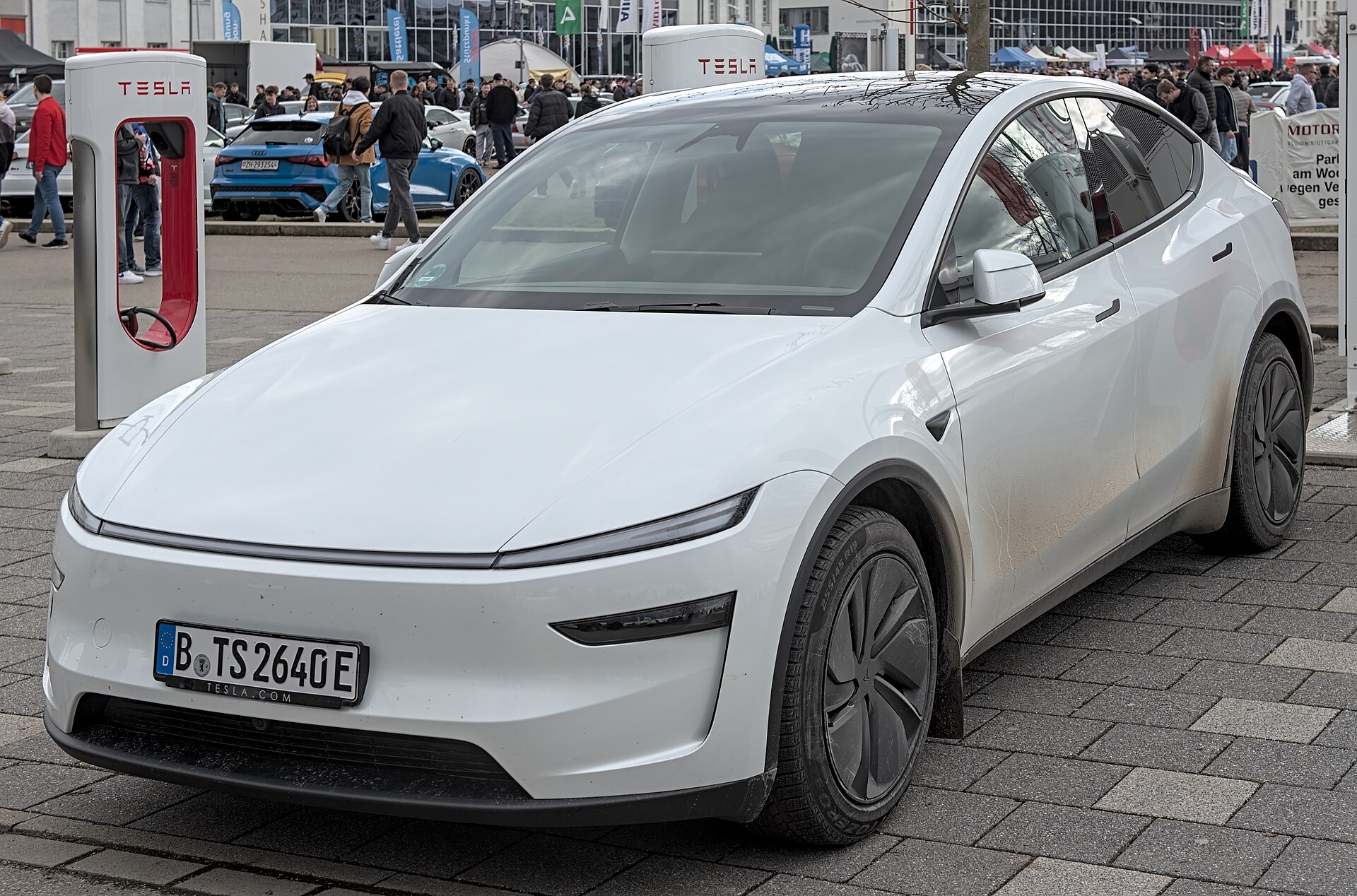
This guide explains what that battery does, how to tell whether your car has an old lead-acid unit or the newer lithium type, the warning signs that it’s dying, how to jump-start and open a dead frunk without damaging anything, and what a replacement really costs in 2026. It’s written for owners in the United States and Canada, with the current-model realities of the Model 3 Highland and Model Y Juniper in mind.
Disclosure: some links are affiliate/referral links. If you buy or order through them, we may earn a commission or credit at no extra cost to you. See our disclosure page.
📋 本文目录
- What the 12V (Low-Voltage) Battery Actually Does
- Lead-Acid vs. Lithium: Which Battery Is in Your Tesla?
- Warning Signs Your Low-Voltage Battery Is Failing
- How to Jump-Start a Tesla (and Open a Dead Frunk)
- Replacement: DIY, Service Center, and What It Costs
- How to Make Your Tesla’s 12V Battery Last Longer
- Build a Simple Frunk Emergency Kit
- Thinking of Ordering a New Tesla?
- Frequently Asked Questions
- The Bottom Line
What the 12V (Low-Voltage) Battery Actually Does
Every Tesla runs two electrical systems. The high-voltage pack (about 350–450 volts) drives the motors and comes off the charger. Everything else — the touchscreen, door handles, windows, interior and exterior lights, the onboard computers, and the contactors that physically connect the high-voltage pack to the rest of the car — runs on a low-voltage circuit, the same role a 12-volt battery plays in a conventional vehicle.
Here’s the catch that surprises new owners: the low-voltage battery is what lets the big pack turn on. If it’s flat, the contactors won’t close, so all that energy sitting in the main battery is unreachable. The car can’t drive, and depending on the situation it may not even respond to your phone or key card. The high-voltage pack keeps the low-voltage battery topped up through a DC-to-DC converter whenever the car is “awake,” and the car briefly wakes itself on a schedule to recharge it even while parked — which is exactly why leaving a Tesla sitting unplugged for weeks is one of the fastest ways to kill this battery.
Lead-Acid vs. Lithium: Which Battery Is in Your Tesla?
There’s no single “Tesla 12V battery,” and buying the wrong replacement can damage your car’s electronics. Broadly, Teslas fall into two eras:
- Lead-acid (AGM) era: Model 3 and Model Y built before roughly October 2021 (Shanghai) or December 2021 (Fremont), plus pre-2021 Model S and Model X. These use a conventional sealed lead-acid battery that tends to wear out in about two to four years — sometimes failing early and without much warning.
- Lithium-ion era: Model 3 and Model Y from late 2021 onward, the 2021-and-newer Model S and Model X, and the refreshed Model 3 Highland and Model Y Juniper. These use a lithium low-voltage battery (commonly a 16-volt lithium-ion unit that rests around 15–17 volts; some of the newest Juniper cars use a 12.8-volt LFP variant). It’s lighter, lasts far longer, and doesn’t follow the old “replace every three years” rule.
The most important takeaway: a lead-acid 12V battery is not interchangeable with a lithium 16V unit. Fitting a 12-volt battery into a 16-volt system can damage electronics, and Tesla has not published a public do-it-yourself procedure for the lithium units. When in doubt, check the label under your frunk panel or your car’s build date, and let Tesla source the correct part.
| Feature | Lead-acid (AGM) | Lithium (16V / LFP) |
|---|---|---|
| Typical cars | Model 3/Y before late 2021; older S/X | Model 3/Y late 2021 on; Highland & Juniper; 2021+ S/X |
| Rough lifespan | ~2–4 years | Much longer; no fixed interval |
| Warning before failure | Often short or none | Usually an alert days ahead |
| DIY-friendly | Yes, for handy owners | No public Tesla procedure — use service |
| Weight | Heavier | Noticeably lighter |
Warning Signs Your Low-Voltage Battery Is Failing
Modern Teslas usually give you a heads-up, but the amount of notice varies. Watch for these:
- A dashboard alert such as “12V battery needs service” or “Car needs service — power may be reduced.” On lithium cars this often appears days to a couple of weeks before a hard failure. Don’t ignore it.
- The touchscreen is slow to wake, reboots on its own, or the car takes a long time to respond when you approach with your phone key.
- Interior or exterior lights flicker or dim, the door handles are sluggish to present, or the charge port door misbehaves.
- The car won’t “wake up” in the mobile app, or shows as offline more than usual.
Because a dead low-voltage battery can leave you locked out, treat any of these as a reason to book service promptly rather than waiting for the classic dead-car scenario. If you already track other quirks, our Tesla common problems and troubleshooting guide covers related electrical gremlins worth ruling out.
How to Jump-Start a Tesla (and Open a Dead Frunk)
First, set expectations: jump-starting a Tesla is usually about getting enough power to open the frunk and wake the car so you can access the battery or drive to service — not a permanent fix. If the low-voltage battery is truly worn out, it still needs replacing.
The single most important rule, straight from Tesla’s owner’s manual: never use another vehicle — including another Tesla — to jump-start your car. Use an external low-voltage power supply, meaning a standard portable 12V jump pack. Connecting to another car’s electrical system can cause damage. Tesla spells this out in its official jump-starting instructions.
If the battery is dead, the frunk (where the battery lives on most Model 3 and Model Y cars) won’t open normally. The recovery steps look like this:
- Pop off the small tow-eye cover on the front bumper (driver’s side on most cars) to expose two electrical contacts.
- Connect a portable jump pack: red clamp to the positive tab, black clamp to the negative tab. This provides just enough power to release the frunk latch.
- Open the frunk, remove the maintenance panel, and you’ll reach the low-voltage battery and its jump posts.
- Follow the terminal-connection sequence in your car’s manual, then touch the screen to wake it. It can take a few minutes to come alive.
Because the exact battery location and terminal layout vary by model and build year — a few configurations place the battery under the rear cargo floor — always confirm against your own car’s manual before touching anything. This is also a great argument for keeping a jump pack in the car before you need it: a compact lithium unit like the NOCO Boost Plus GB40 (typically around $100) lives easily in the frunk and can also jump a friend’s gas car. If you’d rather not deal with any of this at the roadside, Tesla’s Roadside Assistance can dispatch help.
Replacement: DIY, Service Center, and What It Costs
How you replace the battery depends entirely on which type you have.
Lead-acid cars. Mechanically inclined owners can swap an old AGM unit themselves; the part alone usually runs about $85–$150, and the job is similar to a conventional car once the panel is off. If you’re comfortable with the earlier eras of Model 3/Y or older S/X, this is a reasonable DIY.
Lithium cars. For 16V lithium and LFP units, Tesla has not released a public DIY procedure, and the handling is different enough that we recommend having Tesla do it. The convenient part is that Tesla Mobile Service can often come to your home or office to complete the swap, so you may never visit a service center. Booking is done in the Tesla app under Service.
Across models, an out-of-pocket low-voltage battery replacement typically lands somewhere between roughly $100 and $300 installed, with diagnostic fees sometimes adding a bit more. Tesla’s Basic Vehicle Limited Warranty (4 years or 50,000 miles, whichever comes first) generally covers the low-voltage battery as a component, though owners of older lead-acid cars have reported inconsistent goodwill on early failures. If your car is still inside that window, ask before paying. For the bigger picture on what Tesla covers and for how long, see our Tesla maintenance, service and warranty guide.
How to Make Your Tesla’s 12V Battery Last Longer
You can’t make a lead-acid battery immortal, but a few habits meaningfully reduce the odds of a surprise failure — and help the longer-lived lithium units go the distance:
- Don’t let it sit unplugged for weeks. A parked Tesla wakes periodically to recharge the low-voltage battery from the main pack; if the main pack runs low, that stops. For long trips, leave the car plugged in, or at least well above 20% charge.
- Go easy on always-on features when parked long-term. Sentry Mode, Cabin Overheat Protection, and constant app-checking keep the car awake and cycle the low-voltage battery harder. Turning Sentry off during multi-day airport parking is a common, sensible move.
- Mind the cold. Deep winter cold reduces any battery’s usable capacity and is a frequent trigger for a marginal 12V unit to finally quit. Our Tesla winter driving guide has more on cold-weather habits.
- Act on the first warning. A “12V battery needs service” message is not a suggestion. Booking service in the day or two after it appears usually beats being stranded.
Build a Simple Frunk Emergency Kit
A dead low-voltage battery is the classic “why didn’t I prepare for this” moment, and it pairs neatly with the other roadside basics a Tesla owner should carry. Because Teslas don’t come with a spare tire, a small, self-contained kit in the frunk covers the two most common no-tow-truck situations: a car that won’t wake and a slow leak.
- A portable jump pack — the same NOCO Boost Plus GB40 mentioned above — so you can open a dead frunk and wake the car without waiting on roadside help.
- A compact 12V air compressor such as the AstroAI portable tire inflator (usually in the $30–$50 range), which reseats a low tire enough to reach a shop.
- A digital tire-pressure gauge like this AstroAI gauge (a few dollars), since correct pressure protects both range and tire life.
For a fuller checklist of what to keep on board, our Tesla emergency roadside kit guide walks through the essentials. You can also browse more owner tips on our US Tesla section.
Thinking of Ordering a New Tesla?
If a nagging older battery has you weighing an upgrade to a Model 3 Highland or Model Y Juniper — both of which use the longer-lived lithium low-voltage battery — it’s worth knowing that ordering through a referral link gets you three months of Full Self-Driving (Supervised) at no cost. You can use our Tesla referral link at checkout; the referral months generally can’t be combined with the standard 30-day trial, and Tesla confirms the final perk on your order. It’s a small perk, but there’s no reason to leave it on the table when you place the order through the referral link.
Frequently Asked Questions
How long does a Tesla 12V battery last?
The older lead-acid units commonly last about two to four years and can fail with little warning. The newer lithium low-voltage batteries (in late-2021-and-newer Model 3/Y, the Highland and Juniper refreshes, and 2021+ Model S/X) last considerably longer and don’t follow a fixed replacement interval — you replace them when the car flags a problem.
Can I jump-start my Tesla from another car?
No. Tesla’s owner’s manual explicitly warns against using another vehicle, including another Tesla, to jump-start your car, because it can cause damage. Use a standalone portable 12V jump pack connected to the correct terminals or the front tow-eye contacts.
Where is the 12V battery located in a Model 3 or Model Y?
On most Model 3 and Model Y cars it sits under a maintenance panel in the front trunk (frunk). A few configurations place it under the rear cargo floor, so confirm with your car’s manual before working on it.
Will my Tesla warn me before the low-voltage battery dies?
Usually, yes — especially on lithium cars, which tend to show a “12V battery needs service” style alert days to a couple of weeks ahead. Older lead-acid batteries sometimes died with little or no warning, which is why keeping a jump pack in the car is smart insurance.
Is the 12V battery covered under warranty?
Tesla’s Basic Vehicle Limited Warranty (4 years or 50,000 miles) generally covers the low-voltage battery as a component. Coverage on very early lead-acid failures was applied inconsistently as goodwill, so if you’re inside the window, ask Tesla before paying out of pocket.
How much does a Tesla 12V battery replacement cost?
Out of warranty, expect roughly $100–$300 installed for most cars, with diagnostic fees sometimes adding a little more. A DIY lead-acid part alone can be about $85–$150; lithium units should be handled by Tesla, often via convenient Mobile Service.
The Bottom Line
- The low-voltage battery is small and cheap, but it’s what lets the whole car turn on — a dead one can leave you locked out.
- Know your type: lead-acid on older cars (short-lived, DIY-friendly) versus lithium 16V/LFP on newer cars including Highland and Juniper (long-lived, service-only). Never mix the two.
- Act on the first “12V battery needs service” alert; on newer cars it usually buys you a few days.
- Jump-start only with a portable pack — never another vehicle — and keep one in the frunk alongside an inflator and gauge.
- Replacements typically run about $100–$300 installed and may be covered inside the 4-year/50,000-mile basic warranty.
Information current as of August 2026 and may change; prices, warranty terms and procedures vary by model, build year and region — always confirm against your car’s owner’s manual and Tesla’s official support pages before working on your vehicle. This article is general information, not repair or purchase advice. Some links are affiliate/referral links; see our disclosure page. Image credit: Tesla Model Y (2025) by Alexander Migl, CC BY-SA 4.0, via Wikimedia Commons.