How to Keep Your Tesla From Being Stolen (2026): PIN to Drive, Relay Attacks & Trackers
How to Keep Your Tesla From Being Stolen (2026): PIN to Drive, Relay Attacks & Trackers

一句话结论
Teslas are among the least-stolen cars in North America, but relay attacks still happen. Lock yours down with PIN to Drive, Sentry Mode, a Faraday pouch and a tracker.
Here is a fact that surprises most people: your Tesla is one of the hardest cars in North America to steal. Insurance-loss data from the Highway Loss Data Institute (HLDI) puts the Model 3 and Model Y at the very bottom of the theft charts, with whole-vehicle theft claim rates more than 85% below the all-vehicle average. Between the cameras, the connected app, GPS tracking, and the fact that most EVs are parked at home to charge, thieves generally look elsewhere.
But “hard to steal” is not “impossible to steal.” Keyless relay attacks, opportunistic smash-and-grabs, catalytic-converter-style parts theft (Teslas have none, thankfully), and a stolen phone or hijacked Tesla account are all real risks — especially in Canada, where auto theft has become a national problem. This guide walks through every layer of Tesla security, from the free settings you can turn on in two minutes to the inexpensive gear worth keeping in the car. If you are still shopping and want the newest hardware, ordering through a Tesla referral link also gets you 3 months of free Full Self-Driving (Supervised).
Disclosure: some links are affiliate/referral links, and we may earn a commission at no extra cost to you. See our disclosure page.
📋 本文目录
- Are Teslas Actually Easy to Steal?
- PIN to Drive: The One Free Setting That Stops Most Thefts
- Relay Attacks and Your Key: How the Signal Gets Stolen
- Sentry Mode and a Dashcam Drive: Your Always-On Witness
- Add a Hidden Tracker for Fast Recovery
- Lock Down Your Tesla Account and App
- What to Do If Your Tesla Is Stolen
- US vs Canada: Why This Matters More North of the Border
- Frequently Asked Questions
- The Bottom Line
Are Teslas Actually Easy to Steal?
No — and it is not close. In HLDI’s most recent whole-vehicle theft analysis, the Tesla Model 3 and Model Y ranked among the least-stolen vehicles in the United States, with relative claim frequencies a small fraction of the industry average (where 100 is average, these Teslas score in the low single digits). Eight of the twenty least-stolen vehicles were electric. At the other end of the chart, high-horsepower muscle cars like the Chevrolet Camaro ZL1 are stolen dozens of times more often.
Why are Teslas such poor targets? A few reasons stack up:
- Always-on cameras. Sentry Mode turns the car into a parked witness, and thieves know it.
- Built-in GPS and remote lockout. The car reports its live location to your app, and Tesla can help law enforcement locate it.
- No traditional ignition to hotwire and no resale market for a “stripped” Tesla the way there is for common trucks and sedans.
- Home charging. EVs spend more time parked at home near buildings and outlets, which deters opportunists.
That said, the two scenarios that still catch Tesla owners off guard are relay attacks (tricking the car into thinking your key is nearby) and account/app compromise. Both are preventable. Let’s lock them down.
PIN to Drive: The One Free Setting That Stops Most Thefts
If you do only one thing after reading this, do this. PIN to Drive requires a four-digit code on the touchscreen before the car will move — even if someone has already gotten inside with a relayed signal or a stolen phone. It is the single most effective anti-theft feature Tesla offers, and it costs nothing.
To enable it, go to Controls > Safety > PIN to Drive and set a four-digit PIN you will remember (don’t use 0000 or your Autopilot/valet PIN). Once it’s on, the car can be unlocked and entered, but it cannot be driven without the code. According to Tesla’s official security documentation, this stops the classic drive-away theft outright.
Two companion settings are worth knowing:
- Speed Limit Mode caps the car’s top speed behind a separate PIN — handy for valets or new teen drivers.
- Guest / Valet Mode limits access to the frunk, glovebox and personal data. Turn it on before handing over the car at a shop or restaurant.
PIN to Drive is the layer that makes every other attack pointless: even a perfectly executed relay attack ends with a thief sitting in a car that won’t move.
Relay Attacks and Your Key: How the Signal Gets Stolen
Modern Teslas use a Bluetooth phone key, an NFC key card, and an optional Bluetooth key fob. The convenient part — the car unlocks as you approach — is also the weak point. In a relay attack, one thief stands near your key (say, by your front door) while another stands by the car; a pair of radios “relays” the key’s signal across the gap so the car believes the key is present. Security researchers have repeatedly demonstrated this against Bluetooth Low Energy keys.
Your defenses, in order of importance:
- PIN to Drive (above) neutralizes the payoff of any relay attack.
- Shield the signal. If you carry the key fob — or want to stop your phone from being probed overnight — drop it into a signal-blocking pouch. A well-made Faraday key-fob pouch costs only a few dollars and blocks the RFID/Bluetooth signal entirely, so there is nothing for thieves to relay. Keep your fob (and optionally your phone) in one at home and in hotels.
- Park the phone away from the door. Relay range is limited, so keeping keys and phones deep inside the house — not on an entry-table by the driveway — matters more than people think.
One caveat many owners miss: your key card uses short-range NFC and must physically touch the door pillar, so it is essentially immune to relay attacks. Using the card as your primary key (and reserving the phone key for convenience) is a quietly effective habit.
Sentry Mode and a Dashcam Drive: Your Always-On Witness
Sentry Mode uses the car’s cameras to monitor the area around a parked, locked Tesla. If it detects a threat — someone leaning on the car, a break-in attempt — it flashes a warning on the screen, can sound the alarm, and saves footage. It also powers the Dashcam while you drive. Together they are the evidence layer: even if something happens, you have a recording for police and your insurer.
The catch is that Sentry Mode needs somewhere to write those clips. Tesla requires a properly formatted drive, and cheap USB sticks tend to overheat in a hot car and drop out mid-recording. A compact, heat-tolerant SSD such as the Samsung T7 Shield portable SSD is the reliable choice — 1 TB holds days of footage and survives summer cabin temperatures far better than a thumb drive. We cover formatting, folder setup and battery drain in our Tesla Sentry Mode & dashcam guide.
Note that Sentry Mode does use battery — roughly 1% of range per hour — so most owners leave it on in public lots and public garages but exclude “home” and “work” to preserve range and avoid draining the pack overnight.
Add a Hidden Tracker for Fast Recovery
Your Tesla already reports its location to the app, but there is a scenario where a second, independent tracker helps: if the car is taken somewhere without cell coverage, or if a thief manages to remove your account access. A small Bluetooth tracker tucked out of sight — under a seat, inside the frunk liner, in the center-console bin — gives you a backup breadcrumb trail.
For iPhone users, an Apple AirTag is the simplest option; it piggybacks on the vast Find My network to report location even far from your phone. Two honest caveats: AirTag needs an Apple device to set up, and Apple’s anti-stalking alerts can notify a thief carrying an iPhone that an unknown tracker is moving with them. Hide it well, treat it as a recovery aid rather than a deterrent, and always let police recover the vehicle — never confront a thief yourself.
Lock Down Your Tesla Account and App
In 2026, your biggest “key” is your Tesla account. Anyone who gets into it can add a phone key, locate the car and unlock it remotely. Spend five minutes here:
- Turn on two-factor authentication (2FA) for your Tesla account. This alone blocks the most common account-takeover path.
- Audit your keys. In the app and on the car (Controls > Locks), remove any phone keys or key cards you no longer recognize — old phones, a previous owner’s key, a former partner’s device.
- Use a unique, strong password and never reuse your email password.
- Keep the app handy. From your phone you can lock the car, flash the lights, honk, view its live location, and — combined with PIN to Drive — make a stolen Tesla nearly useless.
If you bought a used Tesla, doing a full key and account reset on day one is essential; see our Tesla app guide for the step-by-step.
What to Do If Your Tesla Is Stolen
Act fast and in this order:
- Open the app and grab the live location and current speed/direction. Screenshot it.
- Call the police (911 for a theft in progress, the non-emergency line otherwise) and give them the live location and your VIN. Do not chase the car yourself.
- Contact Tesla so they can support law enforcement; the U.S. NHTSA and Canada’s police services both work from your report and the car’s telemetry.
- Notify your insurer immediately. Comprehensive coverage handles theft; the sooner you file, the faster the process. If you’re reviewing coverage, our Tesla insurance cost guide breaks down what to look for.
- Report to a recovery authority. In the U.S., the National Insurance Crime Bureau assists with recovery; Canadian owners can reference Équité Association.
US vs Canada: Why This Matters More North of the Border
The HLDI theft data above is U.S.-based, and it is genuinely reassuring for American owners. Canada is a different story: auto theft has surged, with organized rings targeting vehicles in the Greater Toronto Area and Montreal for export through the ports, and relay attacks are a favored method. Teslas are still comparatively low-risk thanks to tracking and cameras, but if you park on the street in a hot-spot city, treat PIN to Drive plus a Faraday pouch as mandatory, not optional. The good news: every defense in this guide works identically in both countries, and none of the core protections cost more than a movie ticket.
| Security layer | Protects against | Typical cost | Setup effort |
|---|---|---|---|
| PIN to Drive | Drive-away theft, relay attacks, stolen phone | Free | 2 minutes |
| Faraday pouch (fob/phone) | Signal-relay / amplification attacks | $ (a few dollars) | None — drop key in |
| Sentry Mode + SSD | Break-ins, vandalism, evidence gathering | $$ (drive cost) | One-time setup |
| Hidden Bluetooth tracker | Recovery after a vehicle is taken | $ (low) | ~10 minutes |
| Account 2FA + key audit | Account takeover, rogue phone keys | Free | 5 minutes |
| Garage / well-lit parking | Opportunistic theft and break-ins | Free | Habit |
Layering just the free items — PIN to Drive, 2FA, a key audit and smart parking — already puts you ahead of the vast majority of drivers. Add a Faraday pouch and a reliable Sentry drive and you have covered nearly every realistic attack. If you’re buying new and want the latest cameras and security hardware from the factory, you can still order through our Tesla referral link for 3 months of free FSD (Supervised), though it generally can’t be combined with other FSD trials or offers (Tesla confirms the final perk on your order). For more ownership tips, browse our US Tesla guides.
Frequently Asked Questions
Does Tesla PIN to Drive really stop theft?
Yes — it is the most effective free protection Tesla offers. Even if a thief gets inside using a relayed signal or a stolen phone, the car will not move without the four-digit code. Combined with GPS tracking and cameras, it makes a stolen Tesla very hard to actually use or sell.
Can a Tesla be stolen with a relay attack?
The entry side of a Bluetooth key can be relayed, so a thief could get in — but they still can’t drive off if PIN to Drive is enabled. Keeping your key fob or phone in a Faraday pouch removes the signal entirely, and using the NFC key card (which must physically touch the car) avoids relay attacks altogether.
Do I need a Faraday pouch if I only use the phone key?
It’s optional but cheap insurance. Phone-based Bluetooth keys can also be probed. A pouch for your phone at night — plus PIN to Drive — closes the gap. If you carry the physical key fob, a pouch is strongly recommended.
What kind of USB drive does Sentry Mode need?
A drive formatted to exFAT (or set up automatically by the car) with enough sustained write speed. Cheap thumb drives overheat and fail; a small portable SSD like the Samsung T7 Shield is far more reliable in a hot cabin and holds days of footage.
Does Sentry Mode drain the battery?
Yes, roughly 1% of range per hour while active. Most owners enable it for public parking but exclude home and work locations to preserve range and avoid overnight drain.
Are Teslas stolen more often in Canada than the US?
Canada has a much higher overall auto-theft problem, and organized export theft is common in Toronto and Montreal. Teslas remain lower-risk than most vehicles because of tracking and cameras, but Canadian owners should treat PIN to Drive and a Faraday pouch as essential.
Should I put an AirTag in my Tesla?
It can help with recovery as a backup to the built-in GPS, especially if the car ends up out of cell range. Be aware AirTag needs an Apple device and that Apple’s anti-stalking alerts may warn a thief. Treat it as a recovery aid, and always let police recover the vehicle.
The Bottom Line
- Teslas are already among the least-stolen vehicles in North America, but relay attacks and account compromise are the real risks worth closing.
- PIN to Drive is the single most important step — free, two minutes, and it defeats drive-away theft outright.
- Shield your key with a Faraday pouch, run Sentry Mode on a reliable SSD, and add a hidden tracker for recovery.
- Turn on account 2FA, audit your phone keys, and park smart — most of the best protection is free.
- Canadian owners in theft hot-spots should treat these layers as mandatory, not optional.
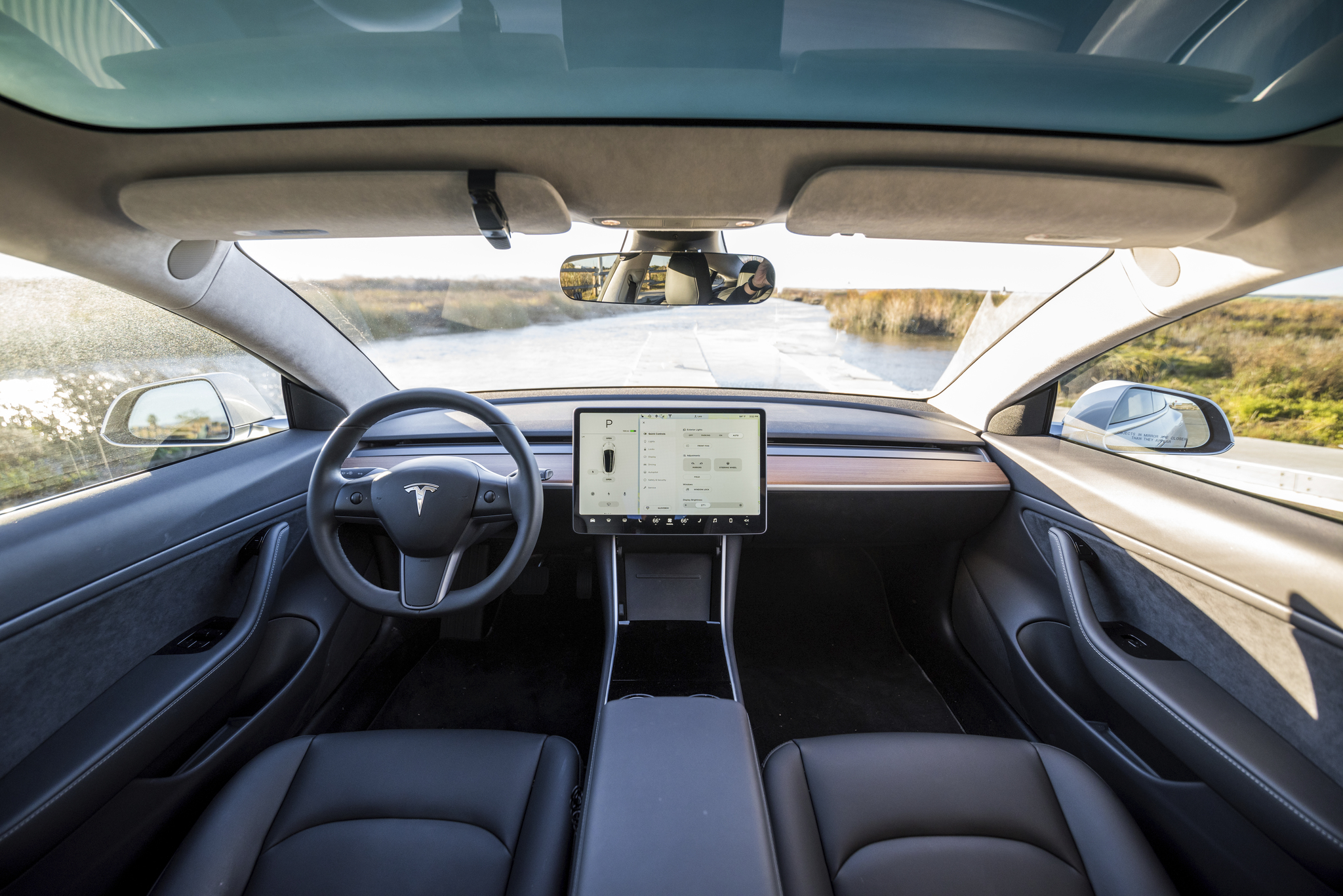
Information is current as of August 2026 and may change; verify security features against Tesla’s in-car menus and official support pages, and theft data against IIHS/HLDI, before acting. This article is general information, not legal or security advice. Some links are affiliate/referral links — see our disclosure page. Image credit: “Interior of Model 3” by Leo Nguyen, licensed under CC BY-SA 4.0, via Wikimedia Commons.