
Tesla Powerwall 3 Guide (2026): Cost, Specs & Is It Worth It?
Tesla Powerwall 3 Guide (2026): Cost, Specs & Is It Worth It?

In one sentence
A 2026 guide to the Tesla Powerwall 3: specs, US/Canada install costs, the expired federal 30% credit, Tesla's Next Million rebate, and who should buy.
Here’s a true story. During the brutal cold snap in Texas last winter, a friend of mine living just north of Austin lost power for nearly two days. Everything in his fridge spoiled, and at one point the whole family was huddled in the car overnight running the heater just to stay warm. When spring came, the first thing he asked me was: “That Tesla battery of yours — does it actually do the job?” He meant the Powerwall.
Over the past couple of years, more and more North American homeowners have been installing a Powerwall. Some want a backstop for outages, some want to store the solar their panels make during the day for use at night, and some are simply fed up with time-of-use rate gouging and want to shift their usage off-peak to save money. But in 2026 there’s one unavoidable change hanging over all of it: the federal 30% tax credit for home energy storage officially expired at the end of 2025. For a lot of people, that means the math has to be redone from scratch.
This guide walks through the Powerwall 3 from top to bottom — what it is, how it differs from the previous generation, roughly what a system costs to install in the US and Canada, what incentives are left now that the federal credit is gone, what happened to Tesla’s own “Next Million” rebate now that its order window has closed, and most important of all: whether your home is actually worth equipping. By the end you’ll have a clear picture.
Disclosure: some links in this article are affiliate/referral links. If you order or sign up through them, we may earn a small commission at no extra cost to you. All analysis is based on public information and real owner experience, with no paid placement. This is general information, not tax, financial, or electrical advice — consult a licensed professional for your own situation. See our disclosure page.
📋 Contents
- What the Tesla Powerwall 3 actually is
- How the Powerwall 3 compares to the Powerwall 2
- Key specs at a glance
- What a system costs in the US and Canada
- The big 2026 change: the federal 30% credit is gone
- Tesla’s own offset: the Next Million rebate (order window now closed)
- What incentives are left, state by state and province by province
- Is it worth installing? Three types of household
- How it works with your Tesla, Supercharging, and home charging
- Installation and use: a few practical reminders
- Frequently Asked Questions
- Summary: turn this into your action list
What the Tesla Powerwall 3 actually is
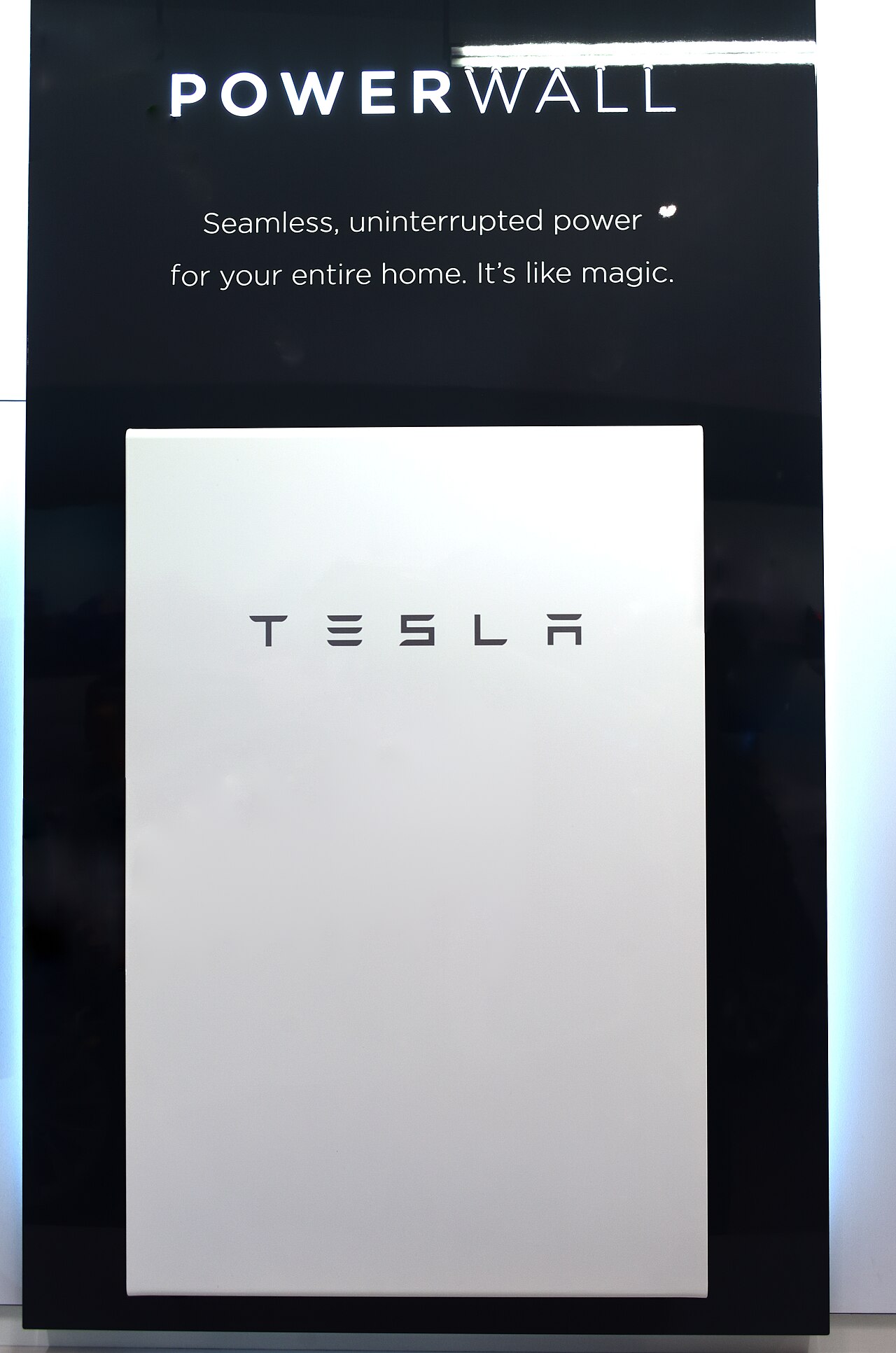
Put simply, the Tesla Powerwall is a home energy storage battery that mounts on a wall — think of a supersized version of a paving slab. It does three jobs: it powers your home during an outage (backup power), it stores cheap off-peak or solar electricity to release when power is expensive (bill savings), and paired with solar panels it gives you a degree of self-sufficiency.
The version on sale now is the third generation, Powerwall 3. Volume deliveries began in 2024, and by 2026 it’s firmly the mainstream choice. Its biggest leap isn’t a bigger battery — it’s that Tesla built the solar inverter directly into the unit. With a Powerwall 2 plus solar, you had to buy a separate inverter, which meant more wiring and a pricier, messier install. The Powerwall 3 combines battery, inverter, and home energy management in a single box, accepting up to 20 kW of DC solar input. For households adding solar, that saves a real chunk on inverter hardware and installation labour.
For homes that just want backup plus off-peak savings and aren’t ready to add solar yet, it works perfectly well on its own — it charges straight from the grid and discharges when you need it.
How the Powerwall 3 compares to the Powerwall 2
A lot of people wonder whether to grab a cheaper used or clearance Powerwall 2. My take: if you can get a 3, don’t look back. The gap comes down to a few things:
- Double the continuous power. The Powerwall 2 puts out only 5 kW continuously; the Powerwall 3 jumps to 11.5 kW. During an outage that means you can run far more at once — central air, a hot-water draw, and a clothes dryer together without tripping.
- Built-in solar inverter. As noted, the 2 needs an external inverter while the 3 integrates it, with an official solar conversion efficiency of 97.5%. The whole solar-plus-storage system is cleaner and cheaper.
- More stable battery chemistry. The Powerwall 3 uses lithium iron phosphate (LFP) cells — heat-tolerant, long cycle life, and safer, which makes them well suited to a garage or an outdoor wall.
- More flexible expansion. A single unit can stack up to three expansion battery packs, so you can add capacity as needed — all at once or later on.
The one caveat: as strong as a single Powerwall 3’s backup output is, if your home’s load is especially heavy (say two AC units plus a pool pump plus an electric water heater all at once), one unit won’t keep up — you’ll need two or more. More on that in the “is it worth it” section.
Key specs at a glance
Conversations about the Powerwall tend to get tangled in numbers, so I’ve pulled out the ones worth remembering. Configuration figures follow Tesla’s official datasheet:
| Spec | Powerwall 3 | What it means |
|---|---|---|
| Usable capacity | 13.5 kWh | Per unit — enough to cover a typical home’s overnight base load |
| Continuous output | 11.5 kW | Same on-grid and in backup — no derating |
| Peak / startup power | Higher momentary surge | Handles the inrush of AC compressors, pumps, etc. |
| Round-trip efficiency | ~89% | Roughly a tenth is lost storing and releasing energy |
| Battery chemistry | Lithium iron phosphate (LFP) | Durable, safe, long cycle life |
| Solar input | Up to 20 kW DC | Integrated inverter, 6 MPPT channels |
| Warranty | 10 years | Must stay connected for remote updates |
| Expandability | 1 unit + up to 3 expansion packs | Add capacity and power as needed |
What does 13.5 kWh feel like in practice? A typical North American household uses roughly 25–35 kWh a day. So a single Powerwall isn’t meant to take you fully off-grid — it’s meant to cover “the stretch when the panels aren’t producing” and “emergency backup.” If you want to keep living normally through a multi-day outage, or run the AC hard all day on battery alone, you’re looking at two units minimum.
What a system costs in the US and Canada
This is what everyone wants to know. I’ll separate the “equipment price” from the “installed-and-running” turnkey price, because the two differ by a lot — labour, electrical work, the Gateway, and permits all add up.
Start with the US. A single Powerwall 3, fully installed, generally lands somewhere between roughly $15,000 and $16,500 across different markets (equipment, labour, grid Gateway, and permits included), depending on how complex your home’s electrical work is. Adding solar at the same time raises the total, but because the 3 has the inverter built in, it comes out cheaper than the Powerwall 2 era did.
In Canada, a single fully installed unit runs roughly CA$16,500 to CA$20,000. The equipment alone is a little over ten thousand Canadian dollars; the Gateway, shipping, labour, materials, and permits push it up from there. Places with provincial battery rebates — like Ontario — can bring the net cost down considerably, which I cover below.
Here’s the cold water, though: don’t fixate on the equipment sticker. What really decides whether it pays off is your home’s electricity rate structure and whether your area still has incentives. The same Powerwall might pay for itself in a few years for a California household on NEM 3.0 with high peak rates, and take ten-plus years to break even somewhere with cheap power and no rebates. You have to run the numbers yourself.
The big 2026 change: the federal 30% credit is gone
Read this section carefully, because it directly changes the economics of a Powerwall.
For years, US households buying solar and home batteries could claim the federal Residential Clean Energy Credit (tax code Section 25D), worth 30% of the system’s total cost against personal income tax. On a $15,000 Powerwall, that meant the federal government effectively chipped in more than $4,000. A lot of people installed specifically because of it.
But the major law signed in July 2025 (known in the industry as the OBBBA) pulled that 25D credit forward by nearly a decade and killed it — any system placed in service after December 31, 2025 no longer qualifies for the 30%. In other words, as of January 1, 2026, if you buy a home battery outright (cash or loan) and install it, that federal 30% is no longer available to you.
This is the same policy wind we covered in our US Tesla coverage — the federal government is broadly pulling back clean-energy incentives, and EVs, solar, and storage have all been swept up in it. Know where that line sits before you buy.
One exception worth knowing: if you don’t buy outright but go with a lease or PPA (power purchase agreement), where a third party owns the equipment, that system can claim the commercial-side Section 48E investment credit — still up to 30%, currently preserved through 2032. But with a lease you don’t own the hardware, and the long-run total cost isn’t necessarily lower, so it comes down to the specific contract. For anything touching your personal taxes, have a licensed accountant run your own situation — this article is not tax advice.
Tesla’s own offset: the Next Million rebate (order window now closed)
With the federal credit gone, Tesla stepped in with a rebate of its own to keep demand up, officially called the “Next Million Powerwall Rebate.” Here’s the update as of July 2026: the order window has closed. Contracts had to be signed and the rebate registered by June 30, 2026, so new orders placed today no longer qualify.
The rules, for those who got in before the deadline:
- How much: $500 back per Powerwall 3 installed, up to two units, so $1,000 max. Expansion battery packs count too.
- How it’s paid: not a tax credit but a virtual Visa gift card emailed to you — typically arriving within about 30 business days after approval, flexible and easy to use.
- Order deadline (passed): the contract had to be signed and the rebate registered by June 30, 2026.
- Install deadline still live: if you registered in time, the system must be installed, connected, and activated in the Tesla app before December 31, 2026 — don’t let the install slip past year-end or you forfeit it.
Bottom line: if you signed before June 30, chase your installer to get the system commissioned well before December 31. If you missed the window, don’t assume that’s the end of it — Tesla has run Powerwall promotions and financing offers more than once since the federal credit died, so check the current offers on tesla.com/powerwall before you order, and lean on the state and provincial programs below, which are now where the real money is.
What incentives are left, state by state and province by province
The federal layer is dead, but at the local level there are still plenty of rebates and rate plays — and that’s where the real savings on a 2026 Powerwall come from. A few areas worth flagging (confirm exact amounts and eligibility on official program pages, since these are capped and can change at any time):
- California: SGIP (the Self-Generation Incentive Program) subsidizes storage, with larger amounts for homes in high fire-risk shutoff zones or low-income households. Stack that with NEM 3.0’s structure — where daytime solar exports are worth little and evening usage is expensive — and storing daytime power for evening use makes the savings case especially strong in California.
- Ontario: there are home-facing battery rebate programs (such as the Home Renovation Savings Program), worth several thousand Canadian dollars for storage alone, with more available when paired with solar — that alone brings the net cost down substantially. Ontario’s TOU/ULO time-of-use spread is wide, so there’s real room to save by shifting usage with a battery.
- BC and Quebec: rates and programs vary widely. BC power is relatively cheap and outages are infrequent, so on pure economics it may not pencil out as well as Ontario — it’s more about backup peace of mind. Quebec’s electricity is extremely cheap, making the payback math even harder.
- Texas and Florida: most have no direct state-level battery rebate, but some Texas retail providers run virtual-power-plant revenue-sharing, and Florida’s frequent hurricane-season outages give backup a real “peace of mind” value for households in those states.
In a word: incentives are highly local — your address determines how much you can get. Spending ten minutes before you order to check your state/province and utility’s current programs beats anything else.
Is it worth installing? Three types of household
I don’t like brushing people off with “it depends,” so here’s the breakdown into three groups — find yourself:
Group one — strongly recommended: if you live somewhere with frequent outages (California fire season, Texas extreme weather, the Florida hurricane belt), or you have medical equipment at home, can’t afford to lose power while working remotely, or keep a freezer full of food — for these “an outage is a real problem” households, the Powerwall’s value isn’t the few dollars of bill savings, it’s the peace of mind. My friend in Austin ended up installing two units; when the power went out again this year, the whole family kept their AC running. He says it’s the best money he’s spent.
Group two — worth running the numbers: if you live somewhere with a big peak/off-peak rate spread (California, Ontario), already have or plan to add solar, and can pull state/provincial rebates, then storing cheap or self-generated daytime power for evening use can pay back in a few years and only gets better over time. Do a proper payback calculation before you commit.
Group three — hold off for now: if your power is already cheap, outages are rare, and there are no meaningful incentives (a lot of central states and low-rate provinces) — on pure economics, a Powerwall may not break even in ten years. It’s more of a premium you pay for peace of mind and going green. Not that you can’t install one — just don’t expect it to save you money, and be clear about what you’re buying.
How it works with your Tesla, Supercharging, and home charging
Plenty of households go all-in on the full setup — Tesla car, Powerwall, and home charger together — and these pieces do work nicely in concert. The Powerwall can keep your Wall Connector powered during an outage (load permitting), and it can coordinate with the Tesla app to schedule charging for the cheapest rate window or the sunniest part of the day. One app manages the car, the energy, and the home.
If you’ve got the Powerwall first and are still shopping for the car, a heads-up: ordering a new vehicle through an existing owner’s referral link currently gets you 3 months of free FSD (Supervised) — worth roughly $297 at the $99/month subscription price, essentially a free quarter of self-driving. If you want it, use my Tesla owner referral link when you order; it costs you nothing. For how to think about everyday charging costs and whether Supercharger membership is worth it, we’ve written a separate guide to North American Supercharger costs — read alongside your home Powerwall, it helps you map out the cheapest charging rhythm.
And if you’re still setting up home charging, see our walkthrough on Tesla home charger installation — pairing a Wall Connector with a Powerwall is one of the most common combinations households install at the same time. Canadian readers weighing total cost of ownership should also factor in our Tesla insurance guide for Canada.
Installation and use: a few practical reminders
When it comes to actually getting one in, these are the things people who’ve been through it will tell you:
- Use a Tesla-certified installer. Powerwalls are now ordered and installed mainly through Tesla’s certified installer network, and quotes, timelines, and after-sales support vary a fair bit — get two or three. If you registered for the Next Million rebate before the June 30 cutoff, make sure your installer filed it through the official process and keeps the install on schedule.
- Survey the location and circuits up front. Garage or outdoors, whether your panel has room, whether you need a panel upgrade — these all affect the final quote. Book a site survey rather than going off an online “starting price.”
- Automatic outage switchover. With a Gateway installed, the Powerwall takes over within a fraction of a second when the power drops — the lights barely flicker. But whether you want whole-home backup or just critical-loads backup needs to be spelled out at install time, because it determines how many units you need.
- PowerShare and virtual power plants. Tesla’s PowerShare and virtual-power-plant (VPP) features — which let you sell your battery’s power back to the grid for money — are rolling out in some areas through 2026, but the timing keeps shifting. Whether you can participate and what you’d earn depends on Tesla’s and your utility’s latest announcements; don’t treat it as the main reason to install.
- Keep it connected. The 10-year warranty depends on the unit staying online so Tesla can push firmware updates remotely. Don’t let your Wi-Fi signal be too weak where it’s mounted.
Frequently Asked Questions
Is one Powerwall 3 enough, or do I need two?
It depends on your goal. If you just want to keep the fridge, internet, a few lights, and phone charging alive during an outage, a single 13.5 kWh / 11.5 kW unit will easily carry you a night to a day. If you want to keep running central AC, hot water, and big appliances during an outage, or live normally through several days off-grid, you’ll need two or more. For heavy loads and larger homes, have the installer size it to your actual appliances.
Is there still a federal tax credit for a Powerwall in 2026?
For batteries bought outright (cash or loan), no — as of January 1, 2026 the federal 30% Residential Clean Energy Credit (Section 25D) no longer applies, having been terminated early under the 2025 law. Only systems on a third-party lease or PPA may capture savings through the commercial-side 48E credit. For your personal tax situation, consult a licensed accountant — this article is not tax or investment advice.
Does a Powerwall make sense without solar?
Yes. A Powerwall doesn’t have to be paired with solar — it can charge straight from the grid for backup, or do “charge off-peak, discharge on-peak” to cut your bill in areas with a wide rate spread. You just won’t have solar’s “free” electricity, so the savings build more slowly, and during an outage you’re limited to whatever’s stored — how long that lasts depends on capacity and your usage.
Can I still get the Next Million rebate, and does it stack with state rebates?
New orders can’t — the registration window closed June 30, 2026. If you registered before then, the $500–$1,000 rebate still pays out as long as your system is installed and activated by December 31, 2026, and it generally stacks with state/provincial programs like California’s SGIP or Ontario’s battery rebate, since they’re separate systems. Rules differ by location and budgets are capped, so confirm your specific eligibility with your installer or on the official program page.
Can I mix a Powerwall 3 with an older Powerwall 2?
The two generations use different architectures and inverter approaches, so mixing them in one system isn’t recommended — use the Powerwall 3 expansion packs to add capacity. If you already have a Powerwall 2 and want more capacity, have a Tesla-certified installer evaluate it rather than guessing.
Summary: turn this into your action list
- What it is: the Powerwall 3 is a 13.5 kWh / 11.5 kW LFP home battery with a built-in solar inverter (up to 20 kW DC), expandable with up to three packs, under a 10-year warranty.
- Cost: roughly $15,000–$16,500 installed in the US, CA$16,500–$20,000 in Canada — before local incentives.
- Federal credit: the 30% Section 25D credit ended December 31, 2025; outright purchases in 2026 no longer qualify (leases/PPAs may use 48E).
- Tesla’s own rebate: the Next Million rebate ($500/unit, up to $1,000) closed to new orders June 30, 2026; if you registered in time, install by December 31, 2026 to collect. Check tesla.com for whatever promotion is current.
- Worth it for whom: strongly for outage-prone or medical-need homes; worth the math for solar + high-rate + rebate households; hold off if power is cheap, outages rare, and no incentives apply.
- Shopping for the car too? ordering through an owner referral link gets you 3 months of free FSD (Supervised).
Information currency: the Powerwall 3 specs, price ranges, Next Million rebate rules, and federal tax-credit changes in this article were last updated in July 2026 from Tesla’s official energy materials, industry reporting, and publicly available tax information. Rebate amounts, deadlines, state/provincial program eligibility, and tax policy change over time and are highly dependent on your location — before ordering or filing taxes, rely on the latest from Tesla’s website (tesla.com/powerwall), your local utility, and official policy pages, and cross-check incentives via resources like EnergySage and the DSIRE database. This is general information, not investment, tax, or legal advice; consult a licensed accountant for taxes and a Tesla-certified professional for electrical installation. Some links are affiliate/referral links; see our disclosure page. Image credit: “Tesla Powerwall” by Open Grid Scheduler / Grid Engine, CC0, via Wikimedia Commons.

About the author: Lifei Zhou
Model Y owner since 2022Ontario STO registered apprentice · 310SWorks on Porsche, Mercedes, BMW, Audi weeklyHundreds of readers referred (est.)
Lifei is a Tesla owner based in Canada, writing practical, fact-checked Tesla guides for US and Canadian drivers — buying, ownership, insurance, charging, and TSLA investing, all from first-hand experience.