
NACS Adapter Guide 2026: Charge Any EV at a Tesla Supercharger (US & Canada)
NACS Adapter Guide 2026: Charge Any EV at a Tesla Supercharger (US & Canada)

In one sentence
Which NACS or CCS adapter does your EV need in 2026? How to Supercharge a non-Tesla, what it costs, native-NACS models, and how Tesla owners use CCS stations.
If you bought an EV in the last couple of years, the plug on the side of your car is suddenly the most confusing part of owning it. Ford, GM, Rivian, Hyundai and almost every other automaker have committed to Tesla’s connector — now the official North American Charging Standard (NACS) — and Tesla’s Supercharger network is open to non-Tesla EVs across the U.S. and Canada. But “open” doesn’t mean “plug in and go.” Whether you can roll up to a Supercharger and start charging depends on which port your car has, which adapter you’re carrying, and which app you’ve set up. This 2026 guide untangles all of it: which adapter you actually need, how much Supercharger access costs, and how Tesla owners can use CCS stations the other way around.
Disclosure: some links are affiliate/referral links, and we may earn a commission at no extra cost to you. See our disclosure page.
📋 Contents
- NACS vs. CCS1: What Actually Changed
- Charging a Non-Tesla EV at a Tesla Supercharger
- Which Adapter Do You Actually Need?
- Which 2026 EVs Have Native NACS Ports?
- Tesla Owners: Using CCS Stations the Other Way
- What Supercharging Actually Costs a Non-Tesla EV
- Buying a Quality Adapter: Safety and What to Avoid
- Frequently Asked Questions
- The Bottom Line
NACS vs. CCS1: What Actually Changed
For a decade, North America had two competing DC fast-charging plugs. Tesla used its own slim connector on every car and on its Supercharger network. Almost everyone else — Ford, GM, Volkswagen, Hyundai, Rivian — used the bulkier CCS1 (Combined Charging System) plug found at Electrify America, EVgo and ChargePoint stations. They were physically incompatible, which is why early non-Tesla owners were locked out of the largest, most reliable fast-charging network on the continent.
That split is now closing. Tesla published its connector as an open standard, SAE adopted it as the North American Charging Standard, and one by one the major automakers signed on. In practice, 2026 is the messy middle of that transition. Some new cars ship with a native NACS port built into the body and can plug straight into a Supercharger. Most cars already on the road still have a CCS1 port and need an adapter to bridge the gap. Knowing which camp your car falls into is the whole game.
Two quick definitions that the rest of this guide leans on:
- NACS-to-CCS1 adapter — lets a car with a CCS1 port charge from a NACS Supercharger handle. This is the one most non-Tesla owners need today.
- CCS Combo 1 adapter (CCS1-to-NACS) — lets a car with a NACS port (i.e., a Tesla, or a 2026 native-NACS EV) charge at a CCS1 station like Electrify America.
Charging a Non-Tesla EV at a Tesla Supercharger
This is the single most-searched question, so let’s make it concrete. To Supercharge a non-Tesla EV in 2026 you need three things lined up:
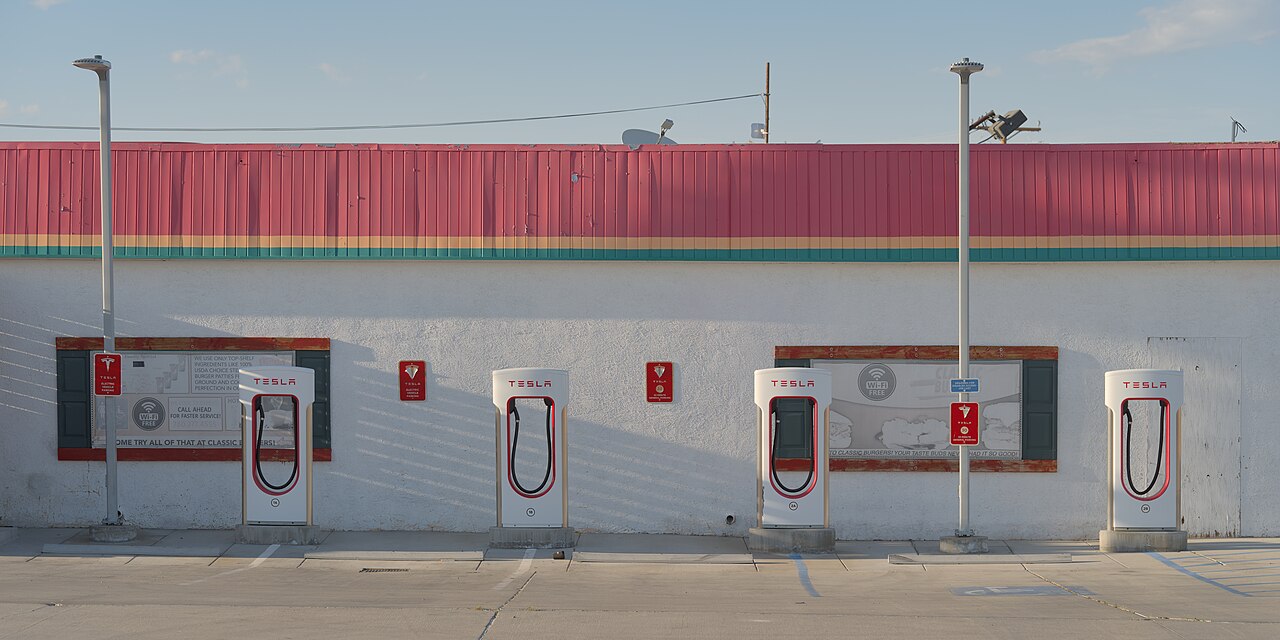
- A compatible Supercharger. Not every stall is open to other brands. You want a V3 or V4 Supercharger — the newer units, often identifiable by the black collar around the connector and the longer cables on V4. The Tesla app filters these for you when you sign in as a non-Tesla driver.
- The right connector or adapter. If your car has a native NACS port (more on which models below), you plug the Supercharger cable straight in. If your car still has a CCS1 port, you need a NACS-to-CCS1 adapter that clicks onto the Supercharger handle.
- The Tesla app. Download the Tesla app, create an account, add a payment method, and follow Tesla’s official non-Tesla Supercharging steps — choose “Charge Your Non-Tesla.” Select your Supercharger location, pick the stall number you’re parked at, plug in, and tap “Start Charging.” Billing happens automatically through the app.
One detail trips people up constantly: Supercharger cables are short because Tesla charge ports sit at the rear driver’s side. If your EV’s port is up front (many Fords, the Ioniq 5/6) you may need to park nose-in or straddle a stall. It works, but expect to occasionally take up two spaces. For a deeper look at what a charging session actually costs, see our breakdown of Tesla Supercharger pricing in 2026.
Which Adapter Do You Actually Need?
Because there are two directions of compatibility, there are two different adapters — and buying the wrong one is the most common mistake. Match your car’s port to the network you want to use:
| Your car’s port | Network you want | What you need | Typical 2026 cost |
|---|---|---|---|
| CCS1 (most current non-Tesla EVs) | Tesla Supercharger | NACS-to-CCS1 adapter | ~$150–$230 (or free from some automakers) |
| Native NACS (Tesla; 2026 Rivian, Cadillac Optiq, Hyundai Ioniq, etc.) | Tesla Supercharger | Nothing — plug straight in | $0 |
| Native NACS (Tesla or 2026 native-NACS EV) | CCS1 station (Electrify America, EVgo) | CCS Combo 1 adapter | ~$130–$300 |
| J1772 (Level 2 only) | Tesla destination / home charger | J1772-to-NACS adapter (Level 2, not DC) | ~$50–$100 |
A few automakers handed out free DC adapters during the rollout — Ford’s complimentary program ran through mid-2025, and Genesis still offers a complimentary NACS adapter to existing GV60, GV70 and GV80 owners on request. If your brand’s free-adapter window has closed, the aftermarket fills the gap. Quality NACS-to-CCS1 adapters from established brands run roughly $150–$230. You can browse current options on Amazon US or, north of the border, on Amazon Canada.
Which 2026 EVs Have Native NACS Ports?
Signing onto NACS as a brand is not the same as shipping a car with the plug built in. As of 2026, the transition is happening model-by-model. Cars rolling off the line with a native NACS port — no adapter required at a Supercharger — now include the 2026 Rivian R1T and R1S, the Cadillac Optiq and Optiq-V (GM’s first native-NACS models), the Hyundai Ioniq 5, 6 and 9, the 2026 Kia EV6 and EV9, the refreshed Nissan Leaf, the Genesis GV60 and Electrified GV70, plus newer entrants like the Lucid Gravity, Toyota bZ and Subaru Solterra. The roster grows almost monthly, so check Tesla’s official list of supported models before a road trip; independent trackers such as InsideEVs’ running list are worth a glance too, and you can cross-check range and efficiency figures for any model on fueleconomy.gov.
Everyone else — including the huge installed base of 2021–2025 Mustang Mach-Es, F-150 Lightnings, Chevy Bolts, Blazer EVs and pre-refresh Rivians — still has a CCS1 port and needs the adapter. If you’re shopping used and charging convenience matters, check the exact model-year port before you buy; our used-EV buying advice applies just as much to non-Tesla EVs here. And if you’ve decided the simplest path is just to go native and buy a Tesla, ordering through a Tesla referral link currently throws in three months of free Full Self-Driving (Supervised) — a nice perk on top of skipping the adapter dance entirely.
Tesla Owners: Using CCS Stations the Other Way
The adapter story runs in both directions. Tesla drivers occasionally need a charger that isn’t a Supercharger — a road trip through a charging desert, a free Electrify America session bundled with another purchase, or simply the nearest available stall. For that you want Tesla’s CCS Combo 1 adapter, which lets your NACS-port Tesla pull power from CCS1 hardware at up to 250 kW.
Tesla sells the official CCS Combo 1 adapter through its online shop (pricing has hovered around the $250–$300 range, sometimes bundled with a vehicle-side retrofit on older cars). Reputable third-party versions from brands like Lectron and A2Z sell for less — often $130–$200 — and many are UL-certified. Keep one in the frunk and your Tesla can charge almost anywhere a modern EV can. Just remember that most CCS stations cap below 250 kW, so real-world speeds depend on the station, not the adapter. For slower public Level 2 stations with a J1772 handle, I also keep a compact Lectron J1772-to-NACS adapter (typically $50–$70) in the door pocket — it covers hotel and parking-garage chargers that the CCS adapter doesn’t. If you’re still setting up your charging routine, our guide to home charger installation covers the 90% of charging you’ll do at home, where adapters never come into play.
What Supercharging Actually Costs a Non-Tesla EV
Access is one thing; price is another. Tesla charges non-Tesla EVs a premium unless you subscribe. Without a membership, a non-Tesla driver pays roughly 30–40% more per kWh than a Tesla owner at the same stall — at a typical U.S. station that works out to around $0.43/kWh as a guest versus roughly $0.32/kWh at the member rate, and peak-hour pricing in high-cost markets can push past $0.50–0.60/kWh for anyone. The gap closes with the Supercharging Membership at $12.99/month, which gives non-Tesla EVs roughly the same rate Tesla owners pay. (Tesla owners themselves don’t need any membership — they simply pay the owner per-kWh rate automatically.)
| Option | Per-kWh rate | Best for |
|---|---|---|
| Pay-as-you-go (no membership) | ~30–40% above Tesla rate | Occasional road-trippers who Supercharge a few times a year |
| Supercharging Membership ($12.99/mo) | Same as Tesla owners | Anyone charging more than ~80–100 kWh/month on Superchargers |
The math is simple: if you Supercharge regularly, the membership pays for itself after roughly 80–100 kWh of charging — about two or three typical fast-charge sessions a month. If you mostly charge at home and only Supercharge on the occasional long trip, pay-as-you-go is cheaper. You can switch between the two in the Tesla app month to month, so there’s no need to commit up front. Pricing also shifts by location and time of day, so check the live rate in the app before you plug in.
Buying a Quality Adapter: Safety and What to Avoid
An adapter sits between a 250-kW power source and your car’s high-voltage battery, so this is not the place to chase the cheapest no-name listing. A few rules keep you safe and your warranty intact:
- Look for certification. UL 2252 (or equivalent) listing means the adapter has been independently tested for DC fast charging. Established brands — Lectron, A2Z, LENZ — publish their certifications. Generic listings often don’t.
- Match the amperage. A proper NACS-to-CCS1 adapter should be rated for at least 500 A / 1,000 V to handle V3/V4 Supercharger output without throttling or overheating.
- Avoid Level 2 / DC mix-ups. A cheap J1772-to-NACS adapter is fine for Level 2 home charging but will not work for DC fast charging. Make sure the listing explicitly says DC fast charging and Supercharger-compatible.
- Buy from sellers with real return policies. A handshake that fails at 200 kW is a safety issue, not an inconvenience. Stick to reputable retailers.
When you’re ready, compare certified options on Amazon US (or Amazon Canada for the Tesla-owner direction). Read recent reviews specifically mentioning your charger network and car model — compatibility quirks show up there long before they show up in spec sheets. For more accessory picks, browse our Tesla accessories section, and for the latest U.S. ownership news see the US Tesla hub.
Frequently Asked Questions
Do I need an adapter to charge my non-Tesla EV at a Supercharger?
It depends on your port. If your car has a native NACS port (most 2026 Rivians, the Cadillac Optiq, Hyundai Ioniq lineup and others), you plug straight in. If it still has a CCS1 port — which covers most 2021–2025 EVs on the road — you need a NACS-to-CCS1 adapter, and you can only use V3 or V4 Superchargers.
Why are there two different adapters?
Compatibility runs both ways. A NACS-to-CCS1 adapter lets a CCS1 car use a Supercharger. A CCS Combo 1 adapter does the opposite — it lets a NACS-port car (a Tesla, or a 2026 native-NACS EV) charge at a CCS1 station like Electrify America. Buying the wrong direction is the most common mistake.
How much does it cost a non-Tesla EV to Supercharge?
Without a membership you pay roughly 30–40% more per kWh than a Tesla owner. The $12.99/month Supercharging Membership erases that premium and gives you the same rate, paying for itself after about 80–100 kWh of charging per month.
Can every Supercharger be used by non-Tesla EVs?
No. Only V3 and V4 Superchargers are open to other brands. Older V2 stations remain Tesla-only. The Tesla app shows which locations are available once you set up a non-Tesla account.
Are third-party adapters safe?
Reputable, UL-listed adapters from brands like Lectron, A2Z and LENZ are safe and widely used. Avoid uncertified generic listings — an adapter carrying hundreds of amps is not a place to cut corners. Check for UL 2252 certification and a 500 A / 1,000 V rating.
Will using an adapter slow down my charging?
A properly rated adapter adds negligible resistance and shouldn’t throttle a healthy session. Real-world speed is limited by the station and your car’s charge curve far more than by the adapter — most CCS1 stations cap below the Supercharger’s 250 kW anyway.
The Bottom Line
- Match the adapter to your port: CCS1 car + Supercharger = NACS-to-CCS1 adapter; NACS car + CCS1 station = CCS Combo 1 adapter.
- Native-NACS 2026 EVs (Rivian, Cadillac Optiq, Hyundai Ioniq, Kia EV6/EV9 and more) plug into Superchargers with no adapter at all.
- Only V3 and V4 Superchargers are open to non-Tesla EVs — set up the Tesla app and use “Charge Your Non-Tesla.”
- The $12.99/month membership wipes out the non-Tesla price premium if you Supercharge more than a couple of times a month.
- Buy certified. Stick to UL-listed adapters rated for 500 A / 1,000 V from established brands.
Prices, programs and Supercharger access policies are accurate as of July 2026 and change frequently — verify current rates in the Tesla app and on official automaker pages before you buy. This article is informational, not professional advice, and contains affiliate/referral links; see our disclosure page. Image credit: Daniel Lu (User:Dllu), CC BY-SA 4.0, via Wikimedia Commons.

About the author: Lifei Zhou
Model Y owner since 2022Ontario STO registered apprentice · 310SWorks on Porsche, Mercedes, BMW, Audi weeklyHundreds of readers referred (est.)
Lifei is a Tesla owner based in Canada, writing practical, fact-checked Tesla guides for US and Canadian drivers — buying, ownership, insurance, charging, and TSLA investing, all from first-hand experience.