
Tesla Cybertruck Accessories: The Upgrades Worth Buying First (2026)
Tesla Cybertruck Accessories: The Upgrades Worth Buying First (2026)

In one sentence
The best Tesla Cybertruck accessories for 2026 — from bed mats, liners, and screen protectors to charging adapters and off-road gear, ranked by priority.
The Tesla Cybertruck is unlike any vehicle Tesla has built before, and that changes what you should put on your shopping list. There’s no paint to protect — just bare stainless steel that shows fingerprints and scratches. There’s a genuinely useful 6-foot truck bed with power outlets. And the interior is dominated by an 18.5-inch touchscreen that begs for protection. If you just ordered one (or already took delivery), a handful of well-chosen accessories will save the finish, make the bed usable, and keep the cabin looking new. This guide walks through the upgrades that are actually worth buying first, with honest priorities so you don’t over-spend on things you’ll never use.
Disclosure: some links are affiliate/referral links, which means we may earn a small commission at no extra cost to you if you buy through them. This never changes what we recommend. See our disclosure page.
📋 Contents
- Why the Cybertruck Needs a Different Accessory Kit
- Protect the Stainless Steel and the Screen First
- Tame the Bed: Mats and Covers
- Floor and Cargo Protection Inside the Cabin
- Turn the Bed Into a Power Station and Off-Road Rig
- Charging and Road-Trip Add-Ons
- Cybertruck Accessory Priority List
- Frequently Asked Questions
- The Bottom Line
Why the Cybertruck Needs a Different Accessory Kit
Most Tesla accessory guides — including our own new-owner accessories guide — are written around the Model 3 and Model Y. The Cybertruck rewrites the rules for three reasons:
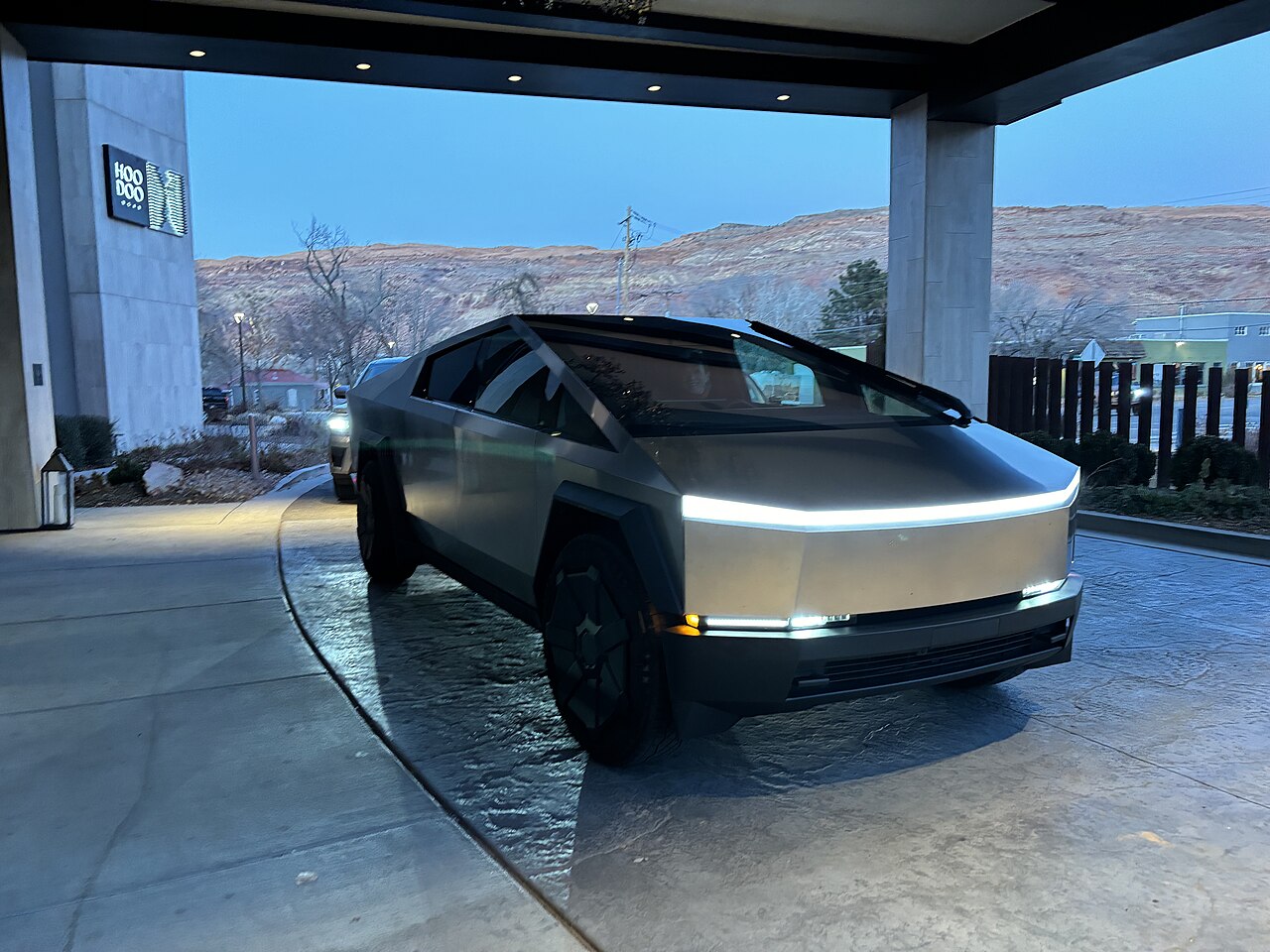
- Bare stainless, no clear coat. The exterior is cold-rolled stainless steel with no paint. That means no chips to worry about, but it also shows fingerprints, water spots, and fine scratches, and it can develop surface rust spots (“tea staining”) if road grime and iron particles are left to sit.
- A real truck bed. The “vault” is about 72.9 inches (roughly 6 feet) long and holds cargo you’ll actually haul — bikes, gravel, coolers, camping gear. Unprotected, the stainless bed floor scratches easily.
- An outlet-equipped platform. The bed and cabin include multiple 120V outlets plus a 240V NEMA 14-50 outlet in the bed, so the truck doubles as a mobile power station. The right add-ons turn that into a genuinely useful feature.
Because it’s a truck, the smart money goes toward protection and utility first, and cosmetic add-ons second. Below, everything is grouped by job, with a priority table at the end.
Protect the Stainless Steel and the Screen First
The single most common regret from early Cybertruck owners is letting the finish get marred before protecting it. Stainless doesn’t rust the way ordinary steel does, but contamination from brake dust, rail dust, and industrial fallout can bond to the surface and leave orange specks. Two habits make the biggest difference: wash it regularly with the two-bucket method and a clean wash mitt, and dry it thoroughly so minerals don’t etch spots.
Many owners go a step further and add paint protection film (PPF) or a vinyl wrap — not for chip protection, but to make cleaning easier and to change the look (satin black and matte colors are popular). PPF on stainless is a professional install; if you’re weighing it, our PPF and ceramic coating guide covers the trade-offs and typical costs. A ceramic coating or spray sealant on top adds hydrophobic slickness that keeps water spots from baking on.
Inside, the giant center display and the rear screen are worth a tempered-glass protector on day one. A matte, anti-glare protector cuts fingerprints and reflections that are especially noticeable on the Cybertruck’s large panels. Spigen’s GlasTR tempered-glass protector for the Cybertruck screen uses an alignment frame so it goes on bubble-free — a small spend (in the $20–$40 range) that protects a very expensive part.
Tame the Bed: Mats and Covers
The bed is the Cybertruck’s headline feature, and it’s also the easiest surface to scuff. A drop-in bed mat is the highest-value first purchase for anyone who plans to haul anything at all. A custom-fit TPE mat protects the stainless floor from tools, gravel, and shifting loads, and it’s far cheaper than repairing scratches later. The Lumway all-weather bed mat set for the Cybertruck is a straightforward, heavy-duty option in the roughly $60–$120 range that drops in without tools.
The next decision is a tonneau (bed cover). The factory powered tonneau is convenient but pricey; aftermarket manual roll-up, tri-fold, and hard folding covers deliver most of the security and weatherproofing for a fraction of the cost, and they meaningfully improve aerodynamics (and therefore range) at highway speed. Because bed covers are a precise, model-specific fit, buy from a maker that lists the Cybertruck explicitly and check recent fitment reviews before ordering. If you frequently carry valuables, a lockable hard cover is worth the premium; if you mostly want weather protection, a soft roll-up is lighter and cheaper.
Floor and Cargo Protection Inside the Cabin
The cabin floor, frunk, and rear cargo well all take a beating from muddy boots and grocery runs. A full set of custom TPE liners is the accessory most owners install first and never remove. Our top pick for value is the 3W all-weather floor mat, frunk, and rear cargo liner set for the Cybertruck — the same brand we recommend for the Model Y, laser-scanned to fit and easy to hose off. Expect to spend somewhere in the $120–$200 range for a complete set, and consider it money that protects resale value.
Beyond liners, a couple of small items punch above their weight: a trunk/frunk organizer keeps groceries from sliding around the deep wells, and seat-back organizers or a rear seat protector help if you carry kids, pets, or gear. Keep the interior kit simple — the Cybertruck’s cabin is minimalist by design, and clutter fights the aesthetic.
Turn the Bed Into a Power Station and Off-Road Rig
This is where the Cybertruck earns its keep. The bed’s 240V NEMA 14-50 outlet (plus 120V outlets in the bed and cabin) can run power tools, a fridge, or campsite gear straight from the truck’s battery — no separate generator needed. If you use the truck for work or camping, a heavy-duty extension cord rated for the outlet and a weatherproof storage box for tools are worth adding.
For roadside peace of mind, two items belong in every truck. Even though the Cybertruck’s drive battery is huge, it still has a small 12V-style low-voltage system that runs the electronics, and like any vehicle it can occasionally leave you needing a boost for accessories or a friend’s stranded car — a compact lithium jump starter such as the NOCO Boost Plus GB40 (around $80–$110) doubles as a phone power bank and lives easily in the frunk. And because the Cybertruck has no spare tire, a portable inflator plus a tire plug kit is essential for its large, expensive tires.
If you take the truck off-pavement in places like Moab or the backcountry, recovery boards, a proper air-down gauge, and quality tie-downs for the bed round out a practical kit. Match anything you buy to the Cybertruck’s weight — this is a heavy vehicle, so budget recovery gear is a false economy.
Charging and Road-Trip Add-Ons
The Cybertruck uses Tesla’s native NACS port, so it plugs straight into Superchargers without an adapter. For everywhere else, one small adapter unlocks the huge network of older public Level 2 stations that still use the J1772 plug: a Lectron J1772-to-Tesla (NACS) adapter (roughly $30–$50) lets you top up at hotels, workplaces, and destination chargers that a Supercharger-only mindset would miss. For DC fast charging on non-Tesla networks, use a CCS adapter designed for your vehicle and verify compatibility first.
The Cybertruck records constantly with Sentry Mode and Dashcam, and that footage needs fast, durable storage. Rather than a cheap flash drive that overheats, use an external SSD — our Sentry Mode and dashcam storage guide explains exactly which drives hold up and how to format them. Round out a road-trip kit with a good drying towel, a glass sealant to keep the big stainless panels beading water, and a comfortable way to carry it all.
Finally, a note for anyone still deciding: if you haven’t ordered yet, placing your Cybertruck order through a Tesla referral link currently adds 3 months of free Full Self-Driving (Supervised) — a genuine perk that costs nothing, though it generally doesn’t stack with the standard 30-day trial. For the full ordering and delivery walkthrough, see our Cybertruck buying guide, and browse more picks in our Tesla Accessories and US Tesla sections.
Cybertruck Accessory Priority List
Not everything needs to be bought at once. Here’s how we’d sequence it for a new owner, from “do it first” to “nice to have.”
| Accessory | Why it matters for the Cybertruck | Priority |
|---|---|---|
| Screen protector | Shields the large center and rear displays from scratches and glare | Do first |
| Floor + frunk + cargo liners | Protects interior surfaces and resale value from mud, snow, and spills | Do first |
| Bed mat / liner | Keeps the stainless bed floor from scratching under any real load | High |
| Tire inflator + plug kit | No spare tire; large tires are expensive to replace | High |
| J1772 charging adapter | Unlocks older public Level 2 chargers beyond the Tesla network | Medium |
| Tonneau (bed) cover | Security, weatherproofing, and a small range gain at highway speed | Medium |
| Jump starter / power bank | Roadside backup for the low-voltage system and other vehicles | Medium |
| PPF / vinyl wrap + ceramic | Easier cleaning, custom look, and protection from tea-staining | Optional |
Frequently Asked Questions
Do I really need a bed mat if the Cybertruck bed is stainless steel?
Yes, if you plan to use the bed for anything heavier than groceries. Stainless resists corrosion, but it scratches and dents like any metal, and the Cybertruck’s brushed finish shows scuffs clearly. A drop-in TPE mat is cheap insurance against expensive-looking damage, and it also stops cargo from sliding.
Will a screen protector interfere with the Cybertruck’s touchscreen?
A quality tempered-glass protector designed specifically for the Cybertruck’s 18.5-inch display (and the 9.4-inch rear screen) won’t hurt touch response. Look for one with an oleophobic coating for fingerprints and, if reflections bother you, a matte anti-glare finish. Avoid generic phone-style films that don’t match the exact panel size.
Can the Cybertruck really power tools and appliances from the bed?
Yes. The bed includes 120V outlets and a 240V NEMA 14-50 outlet, so it can run power tools, a portable fridge, or campsite equipment directly from the truck’s battery. It’s one of the most useful features on the vehicle — just keep an eye on how much range you draw on a long, off-grid day.
Does the Cybertruck come with a spare tire?
No. Like the rest of Tesla’s lineup, the Cybertruck ships without a spare. Because its tires are large and costly, a portable inflator and a tire plug kit are near-essential, and roadside assistance is your backup for damage a plug can’t fix.
Should I wrap or PPF a stainless Cybertruck?
It’s optional, not required. Stainless doesn’t need paint protection the way a painted car does, but many owners wrap or apply PPF to make cleaning easier, prevent tea-staining in coastal or salty climates, and change the color. If you like the raw stainless look, a good ceramic spray sealant and regular washing may be all you need.
Is the Cybertruck available in Canada?
As of 2026, the Cybertruck is sold in the United States (and Puerto Rico) but has not opened to order in Canada. Pricing and availability change often, so confirm current details on Tesla’s official site before planning a purchase.
The Bottom Line
- Protect first: a screen protector and a full set of floor, frunk, and cargo liners are the highest-value day-one buys.
- Make the bed usable: a drop-in bed mat is the best cheap upgrade; add a tonneau cover for security, weather, and a small range gain.
- Plan for the road: the Cybertruck has no spare, so carry an inflator and plug kit, and keep a jump starter in the frunk.
- Charge everywhere: the native NACS port handles Superchargers; a J1772 adapter opens up the rest of the public network.
- Skip the clutter: buy for protection and utility first, and add cosmetic upgrades like wraps only if they fit how you actually use the truck.
Still on the fence about the truck itself? Placing your order through a Tesla referral link currently throws in 3 months of free Full Self-Driving (Supervised) — a no-cost perk worth grabbing while it lasts.
Information current as of August 2026. Vehicle specifications, pricing, and the Tesla referral program can change without notice — verify details on Tesla’s official Cybertruck page, and check fueleconomy.gov for range and efficiency figures and NHTSA for any open recalls before you buy. This article is general information, not professional advice, and contains affiliate/referral links as noted on our disclosure page. Image credit: “2024 Tesla Cybertruck, Moab 02” by A1C6, released under CC0 (public domain), via Wikimedia Commons.

About the author: Lifei Zhou
Model Y owner since 2022Ontario STO registered apprentice · 310SWorks on Porsche, Mercedes, BMW, Audi weeklyHundreds of readers referred (est.)
Lifei is a Tesla owner based in Canada, writing practical, fact-checked Tesla guides for US and Canadian drivers — buying, ownership, insurance, charging, and TSLA investing, all from first-hand experience.