
Tesla HomeLink vs myQ (2026): How to Open Your Garage From a Model 3, Model Y or Cybertruck
Tesla HomeLink vs myQ (2026): How to Open Your Garage From a Model 3, Model Y or Cybertruck

Most Tesla Model 3 and Model Y cars built since mid-2019 do not have a built-in garage door opener from the factory. You have two ways to add one: Tesla’s HomeLink module, a one-time paid accessory that Tesla Service installs, or myQ Connected Garage, a subscription that works over the internet with any Model 3, Model Y or Cybertruck. HomeLink is the better fit if you want no monthly fees and no Wi-Fi dependence; myQ wins if you want the car to know whether the door is actually open.
Disclosure: some links are affiliate/referral links. If you buy through them, this site may earn a commission at no extra cost to you. See our disclosure page.
Key facts (checked November 1, 2026)
- Tesla stopped fitting HomeLink as standard to North American Model 3 cars in 2019, and current Model 3 and Model Y cars generally ship without it.
- Tesla sells a HomeLink retrofit listed as compatible with all Model 3 and Model Y vehicles. Service installs it, and it controls up to three radio-frequency devices.
- myQ Connected Garage works with all Model 3, Model Y and Cybertruck, plus 2021 and newer Model S and Model X, in the US and Canada.
- myQ’s US plans are $45 for one year, $179 for five years or $299 one-time for ten years, after a 30-day free trial.
- HomeLink sends a simple toggle signal, so auto-open on an already-open door will close it. myQ reads the door’s status and avoids that.
📋 Contents
- Does My Tesla Have HomeLink? How to Check
- Option 1: Tesla’s HomeLink Retrofit
- How to Program HomeLink on a Model 3 or Model Y
- Auto-Open, Auto-Close and the Open-Door Trap
- Option 2: myQ Connected Garage
- Is Your Opener myQ-Compatible? Hub vs New Opener
- HomeLink vs myQ: Which Should You Pick?
- Make the Garage Work for Your Tesla
- Frequently Asked Questions
- Summary
Does My Tesla Have HomeLink? How to Check
Start with the car itself. If your Tesla has the HomeLink Universal Transceiver, you will see a HomeLink icon at the top of the Controls screen, and tapping it lets you create a new device. Tesla’s Model Y owner’s manual says plainly that, depending on build date, region and options, some vehicles are not equipped with it. On cars without the module, owners commonly report that the garage setting shows it as not installed.
Build date is a good first clue:
- Model 3: Tesla removed HomeLink from Premium interior Model 3 cars in North America in 2019, as Electrek reported at the time. A Model 3 built before mid-2019 with the Premium interior probably has it. Later cars, including the refreshed Model 3, generally do not.
- Model Y: owners of recent Model Y cars, including the 2025 and newer “Juniper” refresh, report it is not included by default.
- Model S and Model X: these were better equipped, but both were discontinued in early 2026. If you are shopping used, check the touchscreen rather than the listing.
- Cybertruck: Tesla’s retrofit listing covers Model 3 and Model Y only. Cybertruck owners who want garage control use myQ, which officially supports the truck.
If you are buying a used Tesla, add this to your inspection list. It takes ten seconds to tap the Controls screen and look for the HomeLink icon, and it can save a few hundred dollars of surprise later.
Option 1: Tesla’s HomeLink Retrofit
HomeLink is the same radio transceiver many gas cars have in the overhead console. In a Model 3 or Model Y it is a small module that Tesla installs, and the controls live on the touchscreen. Tesla lists the Model 3/Y Automatic Garage Opener on Tesla Shop as compatible with all Model 3 and Model Y vehicles. You order it from Tesla Shop or the Tesla app, and installation is done by Tesla Service, so you need to have taken delivery of the car first.
Prices differ between the US and Canadian stores and change over time, and third-party reports disagree, so check the Tesla Shop listing for your country before you book. It is a one-time cost. Once installed, there is no subscription.
What you get:
- Control of up to three radio-frequency devices, which can include garage doors, gates, lights and security systems.
- No internet needed. The car talks to the opener directly by radio, so it works in a basement garage with no cell signal or during an internet outage.
- Auto-open on arrival, auto-close on departure, optional auto-folding mirrors and a chime.
The main limitation is that HomeLink cannot tell whether the door is open or closed. More on that below.
You may also see aftermarket HomeLink modules on marketplaces. They are not Tesla parts, fit and frequency can vary by region, and a problem with them is your problem. If you go the HomeLink route, Tesla’s own module installed by Service is the clean option.
Still ordering your car? Assume a new Model 3 or Model Y will not have HomeLink and budget for it, or plan on myQ. If you order through a Tesla referral link, new owners get 3 months of FSD (Supervised). It generally can’t be combined with the new-car FSD trial or other offers; Tesla confirms the final perk on your order.
How to Program HomeLink on a Model 3 or Model Y
The steps below follow Tesla’s owner’s manual. Before you start, put a fresh battery in your garage remote. Tesla recommends it, and a weak battery is the most common reason programming fails. Make sure nobody is standing under the door, because it may open or close during setup.
Source: Tesla Model Y owner’s manual, Smart Garage section.
A few details trip people up:
- Standard Mode records the signal from your existing remote. Some remotes need you to hold the button for a long time (up to three minutes in rare cases), while others need repeated one-second presses. If long presses fail, try short ones.
- D-Mode and UR-Mode work the other way: the opener’s receiver learns the car. D-Mode is the one used mainly in North America. Most openers stay in learning mode for only three to five minutes.
- The “Train the receiver” step is time-sensitive. After pressing the Learn, Program or Smart button on the opener, you have roughly 30 seconds to get back to the car, tap Continue and press the device name twice. A second person makes this much easier.
- If you are not sure which mode your opener needs, HomeLink’s own site has compatibility help by brand.
| Mode | Use it when | Who learns whom |
|---|---|---|
| Standard | The device has a handheld remote that operates it. Most common. | The car copies the remote’s signal. |
| D-Mode | No remote, but the receiver has a Learn, Program or Smart button. Mainly North America. | The opener learns the car. |
| UR-Mode | Same idea as D-Mode, more common in Europe, the Middle East and Asia. | The opener learns the car. |
Each device can use a different mode, so your garage door can be on Standard while a community gate uses D-Mode. On some older vehicles, changing the mode for one device changes it for all of them, so be careful there.
Auto-Open, Auto-Close and the Open-Door Trap
The automation is where HomeLink becomes genuinely useful. Tap the HomeLink icon, open HomeLink Settings and pick the device. You can turn on:
- Auto-open when arriving, with arrows to set how far from the door the car sends the signal.
- Auto-close when leaving.
- Auto-fold mirrors on arrival, handy in a tight garage.
- A chime when an open or close signal is sent.
According to Tesla’s manual, auto-open fires when the car approaches in Drive within your set distance. It does not fire if the car is already in the area. Auto-close fires when you shift from Park into Reverse and back up at least seven metres. Shifting back and forth several times inside that zone can confuse it. A countdown appears on screen either way, and you can tap Skip Auto-Open or Skip Auto-Close.
Now the trap. HomeLink does not know whether the door is open. It sends the same signal every time. If you left the door open and auto-open triggers as you pull in, the door closes in front of you. Tesla says not to rely on HomeLink to make sure the door fully closes. In practice that means two habits: glance at the door as you leave, and only use automation with an opener that has working safety-reverse sensors near the floor. Tesla specifically warns against using HomeLink with any device that lacks safety stop and reverse.
Winter adds one more wrinkle for Canadian and northern US drivers. Ice and packed snow along the threshold can make a door bounce back up when the safety reverse senses resistance. If you drive off assuming auto-close worked, you can come home to an open garage. Keep the threshold clear, and check the door in the mirror or the app.
If auto-open sometimes fails, or the HomeLink pop-up stops appearing as you approach, reset the location: park as close to the door as you can, open the device in HomeLink settings and tap Reset Location. And if you sell the car, delete your HomeLink devices first. A factory reset also clears them.
Option 2: myQ Connected Garage
myQ is Chamberlain’s smart garage platform, and Tesla added it to the car’s software in late 2022. Instead of a radio module in the car, the car talks to your myQ account over its cellular connection, and a myQ-enabled opener or hub in your garage does the work. You set the garage location on the touchscreen, and the car auto-opens on arrival at a distance you choose and auto-closes as you leave.
According to myQ’s Tesla page, it supports all Model 3, Model Y and Cybertruck, plus 2021 and newer Model S and Model X, in the US and Canada. You need a myQ-compatible opener or a myQ hub, a myQ account and an active plan. Neither myQ nor Tesla lists Premium Connectivity as a requirement. If you are weighing that subscription for other reasons, see our Premium Connectivity guide.
Here is what myQ does better than HomeLink:
- It shows the door’s real status, so it will not close a door that is already open when you meant to open it.
- You can open, close and check the door from the touchscreen, the myQ phone app or anywhere with a connection.
- One plan covers multiple Teslas on the same myQ account, and you can move it to a new Tesla during the term.
- It works for Cybertruck, which has no Tesla HomeLink retrofit.
And what it does worse: it costs money every year (unless you prepay ten years), and it depends on three connections working at once: the car’s cellular data, your home internet and the hub’s Wi-Fi. A weak GPS signal can also make the door beep and flash before closing as a safety precaution. Only co-owners with their own paid plan see the garage in their Tesla; household members the garage is shared with do not.
The US price list on myQ’s site as of November 1, 2026 is $45 for one year (auto-renews), $179 for five years (auto-renews) or $299 one-time for ten years, after a 30-day free trial that does not need a credit card. Canadian pricing is shown in C$ at checkout in the myQ app, so confirm it there before you pick a plan.
Per-year cost = plan price divided by years ($45, $179 and $299 per myQ’s Tesla page, checked November 1, 2026). US dollars before tax.
Is Your Opener myQ-Compatible? Hub vs New Opener
Many Chamberlain, LiftMaster and Craftsman openers made in recent years have myQ built in. The myQ app has a compatibility tool that tells you in a minute. If yours is not compatible, you have two routes.
The cheap route is a myQ hub. It plugs in near your existing opener, adds Wi-Fi control and comes with a door sensor that reports open or closed. myQ’s Tesla page currently offers Tesla owners a hub for a small handling fee, so check that first. If the offer is gone, the Chamberlain myQ Smart Garage Control (myQ-G0401-ES) on Amazon is the same kind of hub and is usually well under $100. Chamberlain says it works with most opener brands made after 1993, but run the compatibility check in the myQ app first.
The better route, if your opener is old, noisy or due for replacement anyway, is a new opener with myQ built in. The Chamberlain B4613T is a 3/4 HP belt-drive opener with built-in Wi-Fi and a battery backup, and it typically sells for a few hundred dollars. Why it is worth considering over a hub: you get a quieter belt drive, a door that still opens during a winter power outage (smart features may pause on battery power), and no extra box to mount. Who it is for: homeowners who would otherwise be paying for a hub now and a new opener in a couple of years. Installation is a real DIY job or a few hours from a garage door installer, so factor that in.
HomeLink vs myQ: Which Should You Pick?
| HomeLink (Tesla retrofit) | myQ Connected Garage | |
|---|---|---|
| Cost | One-time accessory plus install; see Tesla Shop | US$45/yr, $179/5 yrs or $299/10 yrs |
| Vehicles | Model 3 and Model Y | Model 3, Model Y, Cybertruck, 2021+ S/X |
| Devices | Up to 3 RF devices (doors, gates, lights) | myQ garage doors only |
| Knows if door is open | No | Yes |
| Needs internet | No | Yes (car data, home internet, hub Wi-Fi) |
| Works with your opener | Most RF openers and gates | myQ-compatible openers, or add a hub |
| Install | Tesla Service visit | Scan a QR code on the touchscreen and sign in |
Pick HomeLink if
- You hate subscriptions and plan to keep the car for years
- You need a community gate or a non-myQ opener
- Your garage has poor cell or Wi-Fi coverage
- You drive a Model 3 or Model Y
Pick myQ if
- You drive a Cybertruck
- You already own a myQ opener
- You want to see door status and close it from anywhere
- You have two Teslas and want one plan for both
Some households end up with both. Chamberlain’s myQ FAQ confirms that having HomeLink does not stop you from enabling myQ, so you could use HomeLink for a gate and myQ for the garage.
Make the Garage Work for Your Tesla
Once the door opens itself, a few other garage habits pay off, especially from November to March.
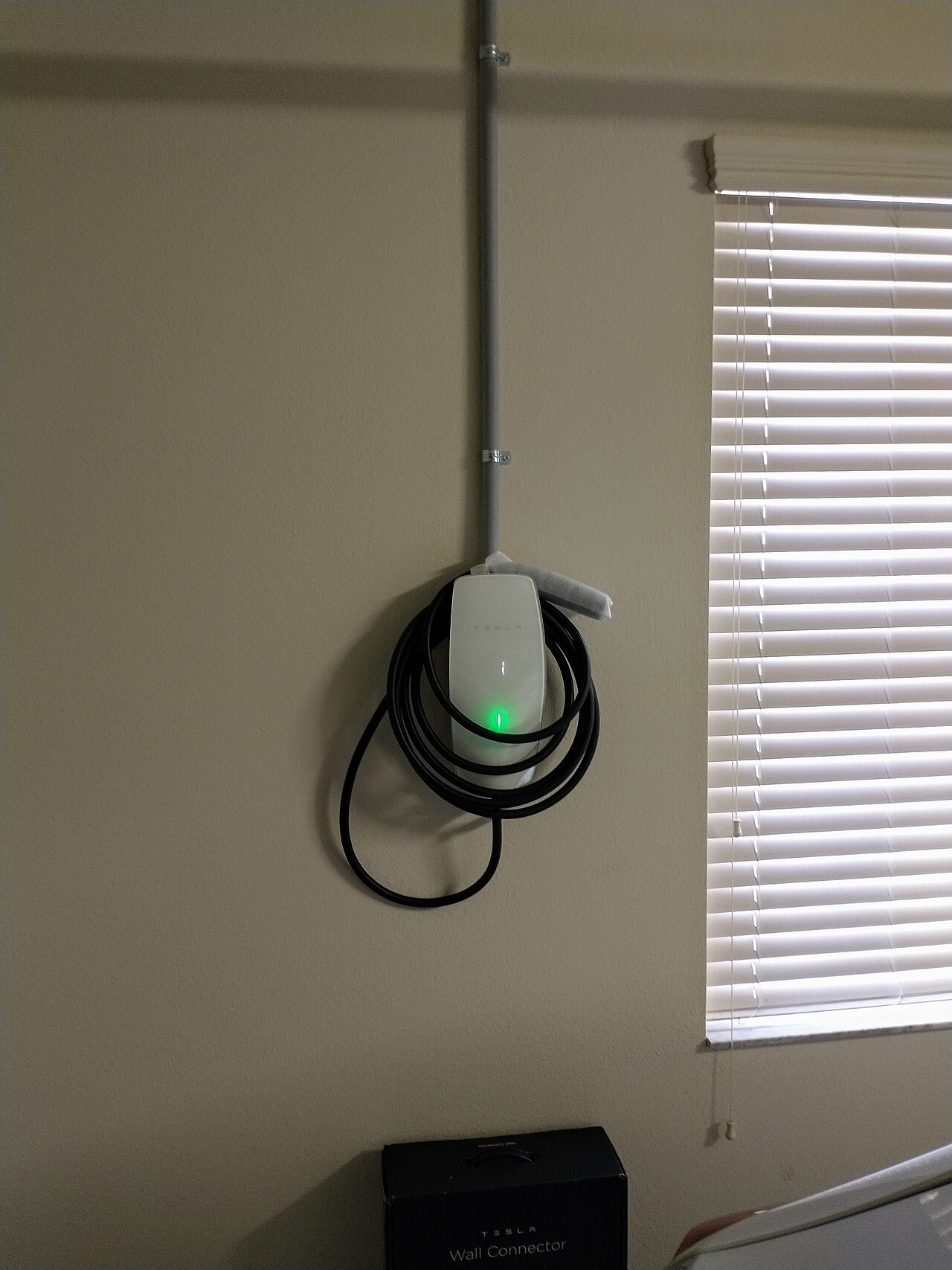
- Charge where you park. If you are still on a regular outlet, a Level 2 charger is the biggest garage upgrade you can make. The Tesla Wall Connector works with every Tesla and delivers up to 48 A on a 60 A circuit; it usually lists for roughly $450 to $550 before installation. A budget alternative is a portable Level 2 unit on a 240 V outlet. Our home charger installation guide covers permits and costs.
- Precondition while plugged in. A warm garage and a scheduled departure mean you leave with a warm battery and cabin without using range. See how to precondition a Tesla in winter.
- Use auto-fold mirrors for a tight fit. It is a small setting that saves a lot of scraped mirror caps.
- Set the phone key and the app first. Garage automation works best once your phone key is reliable. Our Tesla app guide walks through it.
Frequently Asked Questions
Does the Tesla Model Y come with a garage door opener?
Current Model Y cars generally do not come with HomeLink from the factory. You can add Tesla’s HomeLink retrofit, which Tesla Service installs, or use myQ Connected Garage with a compatible opener or hub.
Can I open my garage with the Tesla app instead?
Not through HomeLink. HomeLink works from the car’s touchscreen and automation. With myQ, you can open and close the door from the myQ phone app, and the car shows the door status on its screen.
Does myQ in a Tesla need Premium Connectivity?
Neither myQ nor Tesla lists Premium Connectivity as a requirement. You do need an active myQ plan, a myQ account and a compatible opener or hub. The car uses its own data connection to send commands.
Why did my garage door close when I pulled in?
HomeLink sends the same toggle signal for open and close. If the door was already open when auto-open triggered, the signal closed it. Either check the door before pulling in, turn off auto-open, or switch to myQ, which reads the door’s status.
Does the Cybertruck support HomeLink?
Tesla’s HomeLink retrofit listing covers Model 3 and Model Y only. myQ officially supports Cybertruck, so that is the factory-supported way to open a garage from the truck.
Is HomeLink worth it if I already have myQ?
Usually not for the garage alone. It makes sense if you also need to open a gate or a non-myQ device, or if your garage has unreliable internet.
Summary
- Most Model 3 and Model Y cars built since 2019 have no factory garage opener. Check the Controls screen for a HomeLink icon.
- HomeLink retrofit: one-time cost, installed by Tesla Service, up to three RF devices, works offline, but cannot tell if the door is open.
- myQ: US$45 a year to $299 for ten years, works with Model 3, Model Y, Cybertruck and 2021+ S/X, and shows real door status.
- Program HomeLink with a fresh remote battery, the right mode and a helper for the 30-second training step.
- Only automate a door with working safety-reverse sensors, and keep the threshold clear of ice in winter.
Order your Tesla with 3 months of FSD (Supervised) →
Browse more US Tesla guides.
Image credit: Tesla Wall Connector by Whoisjohngalt, CC BY-SA 4.0, via Wikimedia Commons.

About the author: Lifei Zhou
Model Y owner since 2022Ontario STO registered apprentice · 310SWorks on Porsche, Mercedes, BMW, Audi weeklyHundreds of readers referred (est.)
Lifei is a Tesla owner based in Canada, writing practical, fact-checked Tesla guides for US and Canadian drivers — buying, ownership, insurance, charging, and TSLA investing, all from first-hand experience.