
Is Tesla Premium Connectivity Worth It in 2026? US & Canada Guide
Is Tesla Premium Connectivity Worth It in 2026? US & Canada Guide

In one sentence
Tesla Premium Connectivity costs $9.99/mo in the US and C$13.99/mo in Canada. What Standard includes, what works over Wi-Fi, and who should pay in 2026.
Every Tesla tells you, sooner or later, that your Premium Connectivity trial is ending. Then you have to decide whether $9.99 a month in the US, or $13.99 a month in Canada, is worth it for a car that already navigates, updates itself and talks to your phone. Online answers range from “absolutely essential” to “total cash grab.” The real answer depends on how you drive, where you park and whether you already have a Wi-Fi source in the car.
This guide covers what Standard Connectivity already gives you, what Premium adds, which features keep working over Wi-Fi or a phone hotspot, and a simple test for whether the subscription earns its keep. It’s written for 2026 owners in both the US and Canada.
Disclosure: some links are affiliate/referral links (Tesla referral, Starlink referral and Amazon). If you buy through them, we may earn a reward or commission at no extra cost to you. See our disclosure page.
📋 Contents
- Quick Answer: Who Should Pay for Premium Connectivity?
- Standard vs Premium Connectivity: What You Actually Get
- What Still Works Over Wi-Fi or a Phone Hotspot
- The Starlink Option for Rural Canada, Cottages and Camping
- Sentry Mode, Dashcam and Remote Viewing: Where Premium Earns Its Fee
- Premium Connectivity Cost Over a Year: US vs Canada
- How to Subscribe, Cancel or Check Your Trial
- Buying a New Tesla in 2026? How Connectivity Fits Your Budget
- Frequently Asked Questions
- Bottom Line
Quick Answer: Who Should Pay for Premium Connectivity?
The short version:
- Worth it if you commute in heavy traffic and like seeing congestion on the map, rely on Sentry Mode live camera from the app, stream music in the car every day, or use Grok while driving away from Wi-Fi.
- Probably not worth it if you mostly drive short local trips, play music from your phone over Bluetooth and never open the live camera. Standard Connectivity still gives you navigation with traffic-aware routing and the core app controls.
- Middle ground: subscribe month-to-month only for road-trip season or winter (when people check on the car remotely more), and cancel the rest of the year. There’s no long-term contract.
On cost: in the US, Tesla’s connectivity support page lists Premium at $9.99/month or $99/year plus tax. The annual plan works out to about $8.25 a month. In Canada, Tesla’s Canadian connectivity page lists $13.99/month plus tax. That page doesn’t show an annual option as of October 2026, so if the app ever offers one, compare it against 12 monthly payments before you commit.
Standard vs Premium Connectivity: What You Actually Get
Most new Teslas include Standard Connectivity at no cost for eight years from original delivery. Cars ordered on or before June 30, 2018 kept free Premium Connectivity for the life of the vehicle, which matters if you’re shopping used. Here’s how the two tiers compare in 2026:
| Feature | Standard (included) | Premium (paid) |
|---|---|---|
| Navigation & routing that considers traffic | Yes | Yes |
| Live traffic visualization on the map | No | Yes |
| Satellite-view maps | No | Yes |
| Music & media streaming (Spotify, etc.) | Over Wi-Fi only | Over cellular, anywhere |
| Video streaming (parked) & Caraoke | Over Wi-Fi only | Over cellular, anywhere |
| Internet browser | Over Wi-Fi only | Over cellular, anywhere |
| Sentry Mode live camera in the Tesla app | No | Yes |
| Grok voice assistant | Over Wi-Fi (supported cars) | Over cellular, anywhere |
| Remote app basics (lock, climate, location, charging) | Yes | Yes |
| Over-the-air software updates | Yes (Wi-Fi recommended) | Yes (Wi-Fi recommended) |
The pattern is clear. Standard already covers what keeps the car useful: maps, traffic-aware routing, Supercharger info, remote climate and locking, and software updates. Premium mostly unlocks two things: cellular data for entertainment and AI, and a handful of map layers and camera features that only work through Tesla’s paid connection.
What Still Works Over Wi-Fi or a Phone Hotspot
This is the part most owners don’t know: many “Premium” features are really just features that need internet. Connect the car to home Wi-Fi, a phone hotspot or another in-car Wi-Fi source, and on Standard Connectivity you can still use:
- Music streaming apps (Spotify, TuneIn and the other built-in services you subscribe to)
- Video streaming while parked (Netflix, YouTube, Disney+ and similar, each with its own subscription)
- Caraoke and the web browser
- Grok on supported vehicles. Tesla’s Grok support page lists the requirement as Premium Connectivity or Wi-Fi, plus an AMD-based infotainment computer and recent software.
A few things don’t come back over Wi-Fi: live traffic visualization, satellite-view maps and the Sentry Mode live camera in the app. These run through Tesla’s paid connection no matter what network the car is on.
The catch with a phone hotspot is friction. You have to turn it on before every drive, the car has to reconnect, and video eats through a mobile data cap fast. It’s great for a weekend of streaming at a campsite. It’s annoying as a daily commuter setup. Also note that a Tesla doesn’t share its own cellular connection as a hotspot for passengers’ devices, even with Premium.
If you use the car as a theater and arcade while Supercharging or waiting, it’s worth testing your hotspot plan once before you pay Tesla for data you already have.
The Starlink Option for Rural Canada, Cottages and Camping
Premium Connectivity rides on cellular networks, so in a dead zone it can’t help, and much of rural Canada, cottage country and Crown land campsites have weak or no LTE. Here, Premium and a phone hotspot both come up short.
That’s why a growing number of Canadian owners pair a Tesla with a Starlink Mini. It’s a compact satellite dish that can run off the car’s 12V or USB-C power and creates its own Wi-Fi network. Because Standard Connectivity streams over any Wi-Fi, a Starlink Mini covers music, video while parked, the browser and Grok in places where cell service doesn’t reach. It also gives everyone’s phones and laptops in the car internet, which a Tesla subscription never will.
It isn’t a replacement for Premium if what you want is live traffic overlays on a city commute, since Starlink can’t unlock those Tesla-only map layers. But it’s a strong fit for rural Tesla owners, campers and anyone who works from the car at a lake. We cover wiring and power draw in our Starlink Mini on Model Y 12V power guide. If you’re in Canada and want to try it, our Starlink referral link works for Canadian orders. It isn’t valid for US addresses, so US readers should order directly from Starlink. Plan pricing and data options change often, so check the current plans at checkout.
Sentry Mode, Dashcam and Remote Viewing: Where Premium Earns Its Fee
For many owners, the security features decide it. With Premium you can open the Tesla app from anywhere and view the car’s cameras live through Sentry Mode, which is handy in a downtown parkade, an airport lot or a driveway on a street where break-ins happen. Owners who park on the street in big cities tend to value this most.
Without Premium, Sentry Mode and Dashcam still record. The car saves clips locally to a USB drive and you review them on the touchscreen. You just lose the live camera view in the app. So before you pay for remote viewing, make sure the local recording side is solid, because a cheap, slow USB stick is the most common reason Sentry clips go missing.
- Samsung T7 Shield 1TB portable SSD: a rugged, fast drive that handles constant Sentry and Dashcam writes far better than a basic flash stick. It works in the glovebox USB port on recent Model 3 and Model Y. Format it from the car’s touchscreen (Safety > Format USB Device). Typically around $80–$120.
- SanDisk Ultra Fit 256GB: a tiny plug-and-forget drive if you’d rather keep an offline music library on USB, which plays with no data plan at all. Usually around $20–$35.
Our Sentry Mode and Dashcam guide walks through storage sizing, battery impact and how to export clips for an insurance claim.
Premium Connectivity Cost Over a Year: US vs Canada
Here’s what a full year of each approach typically costs. Third-party streaming subscriptions (Spotify, Netflix and so on) are extra in every scenario.
| Approach | US (12 months) | Canada (12 months) | Best for |
|---|---|---|---|
| Premium, monthly | $119.88 + tax | C$167.88 + tax | Seasonal users who cancel part of the year |
| Premium, annual | $99 + tax | Not listed on Tesla’s Canadian page | Year-round US users |
| Six months Premium (e.g., May–Oct) | $59.94 + tax | C$83.94 + tax | Road-trip and cottage season |
| Standard + phone hotspot | $0 extra if your plan has hotspot data | $0 extra if your plan has hotspot data | Light streaming, occasional Grok |
| Standard only | $0 | $0 | Bluetooth music, local trips |
Canadians pay noticeably more, and without a confirmed annual discount the “subscribe only when you need it” strategy makes even more sense north of the border. Paying C$14 a month in January because you want to watch the live camera at a snowy ski-hill lot is reasonable. Paying it in a month when the car sits in your garage on Wi-Fi isn’t.
How to Subscribe, Cancel or Check Your Trial
New Teslas come with a complimentary Premium Connectivity trial at delivery. It’s typically 30 days on Model 3 and Model Y, while some launch editions bundle more (the US Model Y L Launch Series included a full year). Used Teslas transferred into a new owner’s account usually get a 30-day trial if the car doesn’t carry a lifetime benefit. Your exact trial end date shows in the app.
- Check status: in the Tesla app, go to Upgrades, then look for Premium Connectivity under software upgrades. On the car, tap Controls > Upgrades.
- Subscribe: from the same screens, pick monthly (or annual in the US). Charges go to the payment method on your Tesla account.
- Cancel: Tesla app > Upgrades > Manage > Cancel Subscription. Features stay on until the end of the current billing period. Mid-cycle cancellations generally aren’t prorated, so cancel just before renewal.
- Set a reminder: put the renewal date in your calendar if you only want Premium seasonally. It’s easy to forget a C$14 charge that repeats for a year.
Our Tesla app guide covers the rest of the Upgrades menu, including how subscriptions show up in your account.
Buying a New Tesla in 2026? How Connectivity Fits Your Budget
If you’re still shopping, connectivity is a small line item next to insurance, charging and the car itself, but it adds up alongside other subscriptions. FSD (Supervised) runs $99/month in the US and Canada (in local currency). Together with Premium, that’s a meaningful monthly cost, so it makes sense to try each before committing.
The best way to try FSD for free is to order through a referral. If you buy a new Model 3, Model Y or Cybertruck through our Tesla referral link, you get 3 months of FSD (Supervised). That’s long enough to see whether you’d keep paying for it. The referral perk generally can’t be combined with the new-car FSD trial or other offers, and Tesla confirms the final perk on your order. Buyers who already own or have owned a Tesla may see a loyalty discount instead. I ordered my own Model Y straight from tesla.com without a test drive, and the whole order flow, referral included, takes a few minutes online. Our Tesla referral guide explains exactly how it works.
A practical plan for a new owner: during the first month, use the Premium trial heavily, especially live traffic, the Sentry live camera and Grok, and note which features you actually open. When the trial ends, subscribe only if one of them has become a habit. You can also browse current inventory and pricing through the same referral link, so the perk is applied from the start.
Frequently Asked Questions
How much is Tesla Premium Connectivity in 2026?
In the US it’s $9.99 per month or $99 per year, plus tax. In Canada it’s $13.99 per month plus tax. Tesla’s Canadian support page doesn’t list an annual plan, so check the app for current options.
Does Tesla navigation work without Premium Connectivity?
Yes. Standard Connectivity includes maps and navigation, and routing still considers traffic. You lose the live traffic color overlay and satellite-view maps, but turn-by-turn directions, trip planning and Supercharger info all keep working.
Can I stream Spotify or Netflix in my Tesla without Premium?
Yes, over Wi-Fi. Connect the car to home Wi-Fi, a phone hotspot or an in-car Wi-Fi source like a Starlink Mini, and streaming apps work on Standard Connectivity. Premium simply lets them use Tesla’s cellular data anywhere.
Does Sentry Mode work without Premium Connectivity?
Sentry Mode still records to your USB drive and alerts you in the app. What you lose is the live camera view in the Tesla app, which requires Premium.
Is Grok included with Standard Connectivity?
On supported vehicles, Grok works over Wi-Fi with Standard Connectivity. To use it on the road over cellular, you need Premium Connectivity, per Tesla’s Grok support page.
Does Premium Connectivity turn my Tesla into a Wi-Fi hotspot?
No. A Tesla doesn’t share its cellular connection with passengers’ phones or laptops. For in-car internet for everyone, you need a phone hotspot or a separate device such as Starlink Mini.
What happens when Standard Connectivity’s eight years run out?
For most cars ordered after mid-2018, Standard Connectivity is included for eight years from original delivery. Tesla hasn’t published a detailed post-term plan for Standard on newer cars, so if you’re buying an older used Tesla, check the connectivity status in the app before you sign.
Bottom Line
- Premium Connectivity costs $9.99/month or $99/year in the US and C$13.99/month in Canada (plus tax); Standard is included for eight years on most cars.
- Standard already covers navigation with traffic-aware routing, remote app controls and software updates.
- Streaming, the browser and Grok also work over Wi-Fi or a hotspot; live traffic overlays, satellite maps and the Sentry live camera need Premium.
- Rural Canadians and campers get more from a Starlink Mini plus Standard than from Premium alone in areas with no cell coverage.
- Use the delivery trial to find out which features you actually use, and subscribe month-to-month only when you need them.
- Ordering a new Tesla? A referral gets you 3 months of FSD (Supervised) to try, and Tesla confirms the final perk on your order.
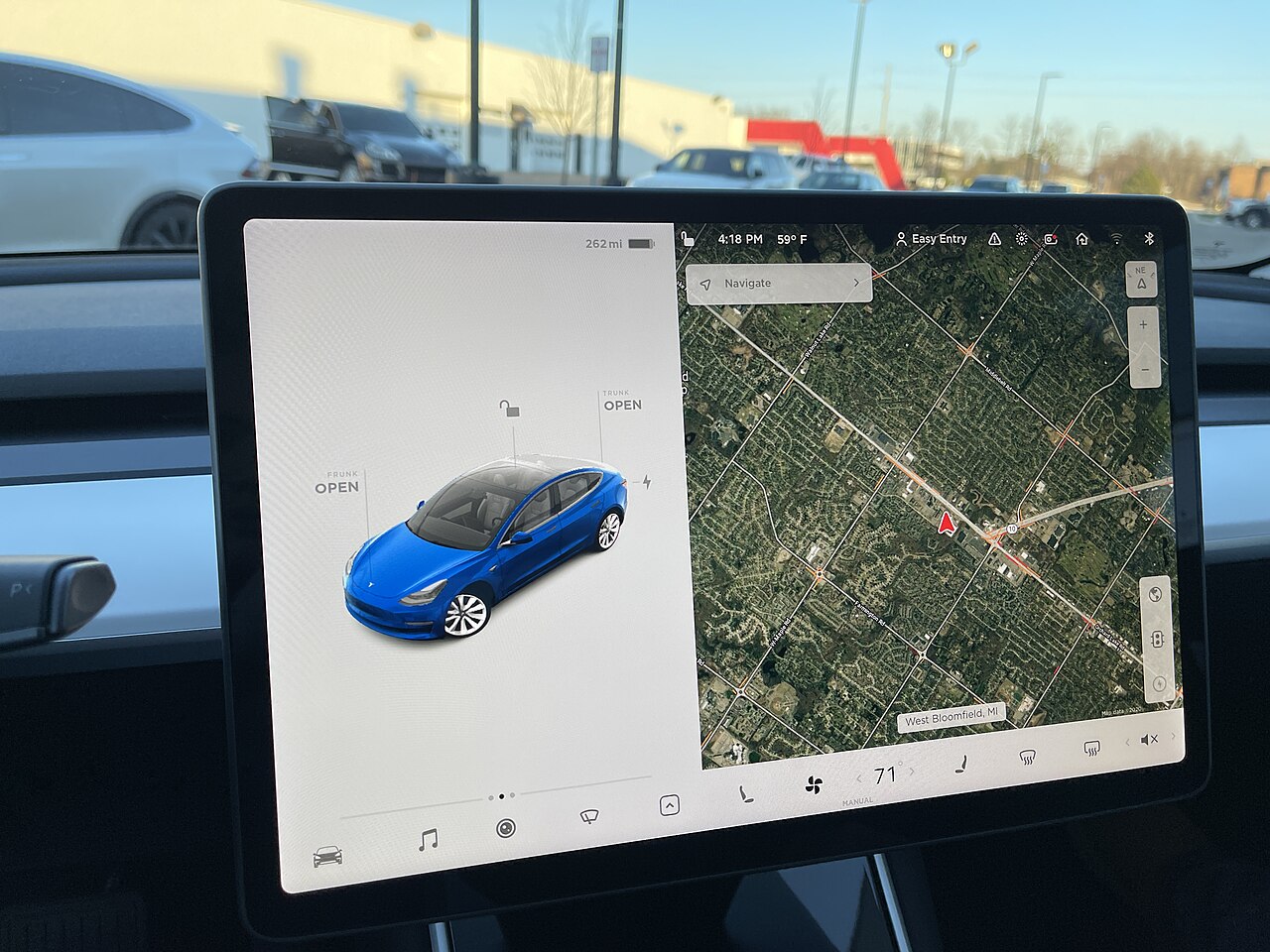
Image credit: “Tesla Model 3 Screen Dec 2020” by SirAsdof, licensed under CC BY-SA 4.0, via Wikimedia Commons.

About the author: Lifei Zhou
Model Y owner since 2022Ontario STO registered apprentice · 310SWorks on Porsche, Mercedes, BMW, Audi weeklyHundreds of readers referred (est.)
Lifei is a Tesla owner based in Canada, writing practical, fact-checked Tesla guides for US and Canadian drivers — buying, ownership, insurance, charging, and TSLA investing, all from first-hand experience.