
Tesla Frozen Door Handle or Charge Port? How to Get In and Charge After an Ice Storm (2026)
Tesla Frozen Door Handle or Charge Port? How to Get In and Charge After an Ice Storm (2026)

If your Tesla’s door handle or charge port is frozen, don’t pull harder. Start the car’s heat from the app with Climate > Defrost Car, give it time, then use the app’s Unlatch Door control or a few firm taps with the side of your fist to break the ice. For a cable stuck in a frozen charge port, try Controls > Service > Inlet Heater. If that fails, use the manual release cable in the trunk.
Disclosure: some links are affiliate/referral links (Tesla referral and Amazon). If you buy through them, we may earn a reward or commission at no extra cost to you. See our disclosure page.
Key facts (checked October 8, 2026)
- Tesla’s owner’s manual says ice can freeze door handles, windows, mirrors, wipers and the charge port latch in place.
- Defrost Car in the Tesla app warms the cabin and helps melt ice on the windshield, windows, mirrors and charge port.
- Tesla recommends turning on climate at least 30 to 45 minutes before you leave in cold weather.
- A frozen charge port latch can be thawed with Controls > Service > Inlet Heater on cars that have it. A manual release cable in the trunk is the backup.
- A frozen latch may not lock the cable, but the car can still charge at a slow AC rate.
- Turn off mirror Auto-Fold and use Wiper Service Mode when you expect ice overnight.
Model 3 and Model Y owners run into this more than people with older cars. The flush door handles sit in a pocket where meltwater can refreeze. The frameless windows drop a little every time you open the door. The charge port has a small latch that locks the cable in. All of that works fine until freezing rain coats the car. This guide covers what to do in the moment, part by part, and the settings that stop most of it before it starts.
I have driven my Model Y through four winters in the Toronto area. So the advice below sticks to what Tesla’s own manuals say and to the steps owners commonly use, with the official pages linked so you can check them for your model year.
📋 Contents
- Door handle frozen: the order that works
- Charge port frozen: cable stuck or door won’t open
- Mirrors, wipers and windows: the other things that freeze
- What not to do with a frozen Tesla
- Prevention: settings that stop most freeze-ups
- When a freeze-up means something is wrong
- Frequently Asked Questions
- Summary
Door handle frozen: the order that works
Ice usually forms around the handle and along the window seal at the same time. The goal is to break the bond without bending trim or scratching paint. Work through these steps in order and stop as soon as the door opens.
Steps based on Tesla’s cold-weather guidance and common owner practice. Exact app menus vary with app version.
Step 1: Defrost Car first
In the Tesla app, go to Climate and choose Defrost Car. Tesla’s Model Y cold-weather best practices say this helps melt snow, ice and frost on the windshield, windows and mirrors, and on the charge port. It won’t clear a thick ice shell in five minutes. Tesla’s general advice is to start climate at least 30 to 45 minutes before you leave in cold weather, and preconditioning time depends on the outside temperature. After an ice storm, plan on the long end of that.
Step 2: Unlatch Door from the app
The app can pop the driver’s door without you touching the handle. Press and hold one of the quick control buttons on the app’s main screen and switch it to Unlatch Door. Tap it when you are standing at the car. This uses the door’s own latch, so it often works when the handle pocket is iced but the seal isn’t. If you haven’t set up the app’s quick controls yet, our Tesla app guide walks through it.
Step 3: Tap the handle firmly, not hard
If the handle won’t move, tap it with the bottom of your fist and slowly increase the force. Think of knocking on a door, not punching it. Take off rings first. Don’t pry with an ice scraper, a key or a screwdriver. That is how handles get chipped and paint gets scratched. On cars with black handles, many owners have better luck pressing the front edge first to crack the ice, then pressing the rear edge as normal.
Step 4: Check the window before you shut the door
Model 3 and Model Y windows drop slightly when the door opens and rise when it closes. If ice is holding the glass, it may not move. Let Defrost Car keep running, then check that the window has fully returned to its seal before you drive. Slamming a door on a window that hasn’t risen is a good way to damage the seal or the glass.
Charge port frozen: cable stuck or door won’t open
The charge port has two separate problems in winter. The port door can be frozen shut, or the latch that locks the cable in can freeze. Tesla treats them differently.
Charge port door frozen shut
Don’t force the charge port door open. Run Defrost Car and give it time. Tesla’s manual lists the charge port among the parts Defrost Car helps thaw. If you are heading to a Supercharger anyway, navigating there with the car’s Trip Planner also warms the battery so it charges faster on arrival.
Cable stuck in a frozen latch
Tesla’s manual says that in extremely cold or icy conditions the charge port latch can freeze in place. If you can’t remove or insert the cable, it suggests touching Controls > Service > Inlet Heater on vehicles equipped with it, or using Defrost Car. If the cable still won’t come out after several minutes, use the manual release.
The manual also notes that a frozen latch may not lock the cable in place, but the car can still charge at a slow AC rate. So if you are at home and the latch won’t engage, you may still get some charge overnight. At a Supercharger, a latch that won’t lock can stop the session from starting.
Manual release cable (last resort)
Tesla’s Model Y service manual describes the procedure for 2025 and newer Model Y:
- Make sure the car is not actively charging. Tesla’s warning is explicit: don’t do this while charging.
- Open the liftgate.
- Find the release cable through the hole in the rear upper corner of the left trunk side trim.
- Pull the cable rearward and hold it, then remove the charge cable from the port. If you let go too early, the latch goes back to its normal position.
- Close the charge port door and the liftgate.
Model 3 has a similar release in the trunk on the charge port side, but the exact spot differs by model and year. Check your own owner’s manual before you go looking. Tesla’s older manuals also warn that the release is for situations where the normal methods don’t work, and repeated use can damage the release or the charging equipment.
Door handle
- Avoid
- Prying with tools
Charge port latch
- Backup
- Trunk release cable
Side mirrors
- Avoid
- Forcing them open
Wipers
- Avoid
- Running wipers on ice
Menu names from Tesla’s Model Y and Model 3 owner’s manuals. Labels can differ slightly by software version.
Mirrors, wipers and windows: the other things that freeze
Side mirrors
Ice can stop the mirrors from folding or unfolding. If you park outside and expect freezing rain, turn off mirror Auto-Fold the night before. Tesla’s manual recommends exactly that. The mirrors heat automatically during preconditioning and when the rear defroster is on, so Defrost Car usually frees them. Don’t push a frozen mirror by hand, because the fold motor and gears are not built for it.
Wipers
Before a storm, put the wipers in Wiper Service Mode (Controls > Service > Wiper Service Mode). This raises the blades up the windshield, closer to where the defroster warms the glass. In the morning they thaw with the windshield instead of staying glued to the bottom edge. Tesla also advises clearing ice from the windshield before you turn the wipers on, to extend blade life. If you leave Auto wipers on, a frozen blade can try to sweep against ice.
Windows and glass
Defrost Car is again the main tool here. A soft-bristle snow brush clears loose snow off the glass roof and windows without scratching. The AstroAI extendable snow brush (usually in the $20–$35 range) is long enough to reach the middle of a Model Y roof, which matters because snow left up there slides onto the windshield when you brake. It works on any Model 3, Model Y or Cybertruck. Use the scraper end on the windshield only after the defroster has softened the ice.
What not to do with a frozen Tesla
Most winter damage to door handles, seals and charge ports comes from impatience, not from the cold itself. Here is the short list.
Do
- Run Defrost Car and wait
- Use Unlatch Door in the app
- Tap the handle with your fist
- Use the Inlet Heater for a stuck cable
- Check the window is sealed before driving
Don’t
- Pour hot or boiling water on glass or handles
- Pry handles or the port door with tools
- Force the charge port door open
- Pull the trunk release while charging
- Run the wipers over a frozen windshield
Based on Tesla owner’s manual cautions and general winter car care.
Hot water deserves a special mention. It seems like a quick fix, but the water runs into the handle pocket and door seals and refreezes, often worse than before. Very hot water on cold glass also risks cracking it. If you need extra help beyond Defrost Car, a commercial de-icer spray made for car locks and glass is a safer choice.
Prevention: settings that stop most freeze-ups
The best fix is not needing one. These habits help most when you park outside in freezing rain or a thaw-and-freeze cycle.
| Setting or habit | Where to find it | What it prevents |
|---|---|---|
| Scheduled departure / preconditioning | Schedule on the touchscreen or in the app | Cold cabin, iced glass, frozen charge port latch |
| Mirror Auto-Fold off | Controls, mirror settings | Mirrors frozen folded or unfolded |
| Wiper Service Mode | Controls > Service | Blades frozen to the windshield |
| Unlatch Door quick control | Tesla app, press and hold a quick control | Being locked out by a frozen handle |
| Key card in your wallet | Comes with the car | Being stuck if your phone dies in the cold |
| Park in a garage before freezing rain | Weather forecast | Almost all of the above |
Tesla’s manual specifically says using the Schedule settings can prevent the charge port latch from freezing, because the car warms up before you need it. If you plug in at home, scheduled charging that finishes close to your departure time also means the battery is warm when you leave.
Phones lose battery fast in the cold, and phone key depends on Bluetooth. Keep the key card in your wallet as a backup. Our guide to Tesla phone key, key card and fob covers how each one works. For range, tires and the rest of the cold-weather routine, see the Tesla winter driving and range guide and our winter accessories kit. More Canadian ownership guides are in the Canada Tesla section.
Transport Canada’s winter driving page is also worth a read. Clearing every window, mirror and light before you drive applies to a Tesla just like any other car, and the cameras need a clear view too.
When a freeze-up means something is wrong
Once in a while a frozen handle is just weather. If the same handle sticks after every rain, or a door won’t latch even after the car has warmed up in a garage, something else may be going on: a worn seal letting water in, a window that isn’t indexing correctly, or a handle mechanism that needs service. The same goes for a charge port that refuses to latch on a warm day. Book a service visit in the Tesla app and describe exactly when it happens. Tesla’s mobile service can handle many door and charge port issues in your driveway.
Thinking about a Model Y or Model 3 for a cold-climate home? Heated seats, a heat pump and app preconditioning are standard on current models, and they make winter mornings much easier. If you order, using a Tesla referral link gets new buyers 3 months of FSD (Supervised). It generally can’t be combined with the new-car FSD trial or other offers, and Tesla confirms the final perk on your order.
Order with 3 months of FSD (Supervised) →
Frequently Asked Questions
Why do Tesla door handles freeze so easily?
Model 3 and Model Y use flush handles that sit in a pocket in the door. Rain and meltwater collect there and refreeze when the temperature drops, which locks the handle in place. Freezing rain is the worst case because it coats the whole car in a thin, hard shell.
Can I open a frozen Tesla door from the app?
Yes, on the driver’s door. Set one of the app’s quick controls to Unlatch Door, then tap it at the car. It releases the latch electrically, so you don’t need to move the handle. It won’t help if ice is holding the whole door or window seal, which is why Defrost Car should run first.
How long should I run Defrost Car before leaving?
Tesla recommends turning on climate at least 30 to 45 minutes before departure in cold weather, and says preconditioning time depends on the outside temperature. After freezing rain, use the full time or more.
My charging cable is stuck and won’t release. What do I do?
Try Controls > Service > Inlet Heater if your car has it, or run Defrost Car. If the cable is still stuck after several minutes, stop charging and use the manual release cable in the trunk. On a 2025 or newer Model Y it is behind a hole in the rear upper corner of the left trunk side trim. Pull and hold it while you remove the cable.
Will my Tesla still charge if the charge port latch is frozen?
According to Tesla’s manual, a frozen latch may not lock the cable in, but the car can still charge at a slow AC rate. Supercharging may not start until the latch is thawed.
Is it safe to pour warm water on a frozen Tesla door?
It is not a good idea. The water runs into the handle pocket and seals and can refreeze worse than before, and very hot water on cold glass risks cracking it. Defrost Car, gentle tapping and a lock and glass de-icer are better options.
Summary
- Start with Defrost Car in the Tesla app and give it 30 to 45 minutes in real cold.
- Use Unlatch Door from the app, then firm fist taps. Never pry handles or the charge port door.
- For a stuck cable, use Controls > Service > Inlet Heater, then the trunk release cable as a last resort, never while charging.
- Before freezing rain: Auto-Fold off, Wiper Service Mode on, scheduled departure set, key card in your wallet.
- Repeated freezing on the same door or a port that won’t latch when warm is a service issue, not just weather.
- New buyers get 3 months of FSD (Supervised) through a Tesla referral link.
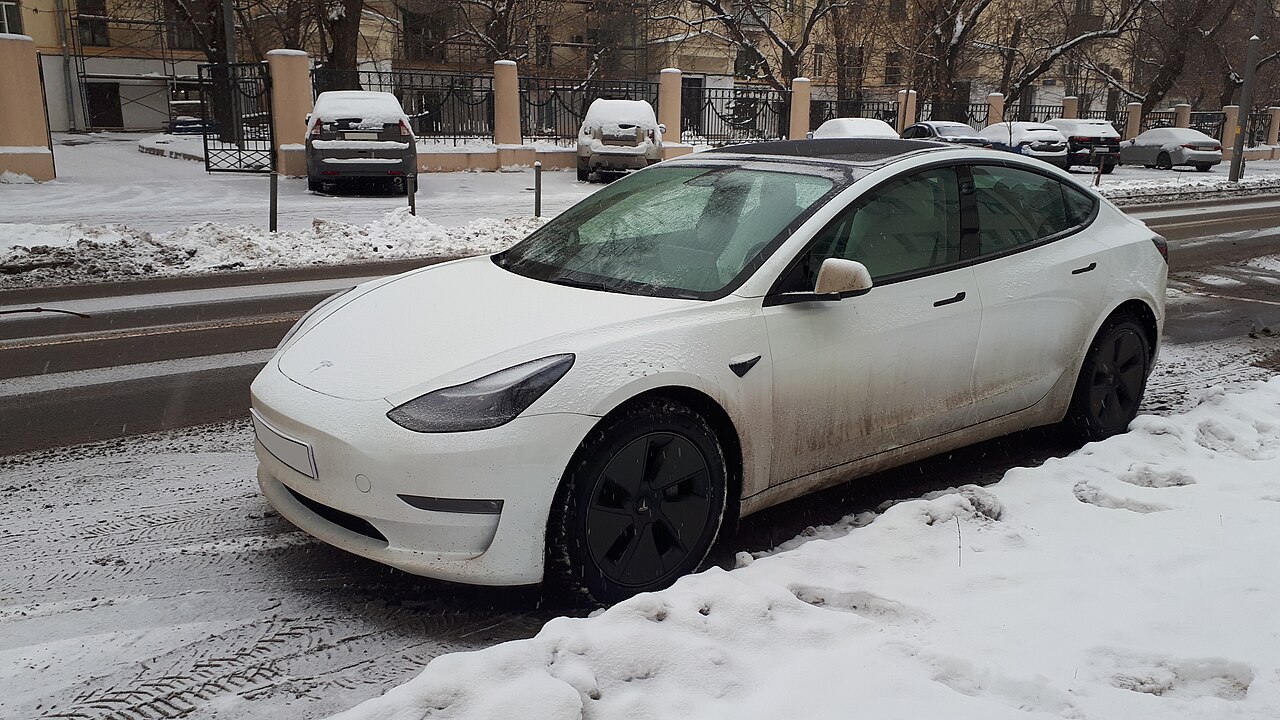
Image credit: “Tesla Model S in snow (front view)” (the car pictured is a Model 3) by Kirill Borisenko, licensed under CC BY-SA 4.0, via Wikimedia Commons. Resized.

About the author: Lifei Zhou
Model Y owner since 2022Ontario STO registered apprentice · 310SWorks on Porsche, Mercedes, BMW, Audi weeklyHundreds of readers referred (est.)
Lifei is a Tesla owner based in Canada, writing practical, fact-checked Tesla guides for US and Canadian drivers — buying, ownership, insurance, charging, and TSLA investing, all from first-hand experience.