
Tesla Smart Summon & Autopark Guide 2026: How They Work, What You Need (US & Canada)
Tesla Smart Summon & Autopark Guide 2026: How They Work, What You Need (US & Canada)

In one sentence
Actually Smart Summon, Autopark and Park Assist explained for 2026: FSD requirements, HW3 vs AI4, the 85 m range, Canada availability and safety tips.
Tesla’s parking features have a naming problem. There’s Summon, Smart Summon, “Actually Smart Summon,” Autopark, Park Assist, and now FSD’s own “Park” arrival option, and they don’t all come with the car. Some are free, some need a Full Self-Driving (Supervised) subscription, some depend on your hardware, and Canadian owners don’t always get the same version as Americans. This guide explains what each feature does in 2026, what you need to unlock it, how to use it without hitting a bollard, and whether it’s worth paying for.
Disclosure: some links are affiliate/referral links (Tesla referral, JOWUA). If you use them we may earn a commission or credit at no extra cost to you. See our disclosure page.
Short answer: if you have an active FSD (Supervised) subscription on a Hardware 3 or AI4 (HW4) car, you can use Actually Smart Summon from the Tesla app to bring the car to you across a parking lot, and Autopark to back into or parallel-park into a spot on its own. Without FSD, a new Tesla still gives you camera-based Park Assist (distance readouts and a 3D view), but not the self-parking or remote-driving features.
📋 Contents
- Tesla’s Parking and Summon Features at a Glance
- What You Need to Use Smart Summon and Autopark in 2026
- How to Use Actually Smart Summon, Step by Step
- How to Use Autopark (Parallel and Perpendicular)
- Canada vs. the US: What’s Different
- Is Smart Summon Safe? What NHTSA Found
- Is It Worth Paying for FSD Just for Summon and Autopark?
- Troubleshooting: Summon or Autopark Not Working
- Frequently Asked Questions
- Summary
Tesla’s Parking and Summon Features at a Glance
These features are easy to mix up because Tesla has renamed and rebuilt them several times. The biggest change came when Tesla dropped ultrasonic sensors from the Model 3 and Model Y in late 2022. The old sensor-based Smart Summon and Autopark disappeared from those cars and came back later as camera-only versions. Here is how the 2026 lineup breaks down:
| Feature | What it does | What you need (2026) | Best use |
|---|---|---|---|
| Park Assist (Tesla Vision) | Uses the cameras to show distances to nearby objects and a 3D view of the car’s surroundings while you park | Standard on current cars, no subscription | Every parking job you do yourself |
| Summon (“Dumb Summon”) | Moves the car straight forward or backward from the app while you stand beside it | Tied to FSD (Supervised) on newer cars; older Enhanced Autopilot cars should check their Autopilot menu | Tight garages, and when someone parked too close to your door |
| Actually Smart Summon (ASS) | Drives the empty car across a parking lot to you, or to a pin you drop on the app map | FSD (Supervised) purchase or subscription, HW3 or AI4, phone within about 85 m (279 ft) | Rain, heavy shopping bags, mobility issues |
| Autopark | Parks the car into a spot it detects: perpendicular (usually reversing in) or parallel | FSD (Supervised) on camera-only cars | Parallel parking downtown, backing into tight stalls |
| FSD arrival “Park” option | At the end of an FSD drive, the car looks for a spot and parks itself (or pulls over, if you choose that) | FSD (Supervised); the choice between Park and Pull Over arrived with v14.3.4 in June 2026 | Finishing a trip without touching the wheel |
The feature that gets the most attention, and the most viral videos, is Actually Smart Summon. Tesla released it in September 2024 with software 2024.27.20 as the camera-only successor to the original 2019 Smart Summon. It has kept improving since then. In May 2026, FSD v14.3.3 raised its top speed on AI4 cars from 6 mph to 8 mph (about 13 km/h), and in June 2026 the Cybertruck, the last model still waiting, finally got it with v14.3.4.
What You Need to Use Smart Summon and Autopark in 2026
Before you try any of this in a Costco parking lot, check these five things:
- An FSD (Supervised) package. Tesla now sells FSD only as a subscription: $99/month in the US and C$99/month in Canada. Outright purchases ended on February 14, 2026, but cars that already bought FSD keep it. Since January 2026, new North American Teslas come with Traffic-Aware Cruise Control only, so a new car without FSD has no Autosteer, Autopark or Smart Summon. See Tesla’s FSD (Supervised) support page for the current feature list.
- Supported hardware. Actually Smart Summon runs on both HW3 and AI4, but they’re not equal. The faster 8 mph cap and most new refinements are for AI4 only. HW3 is on the lighter “v14 Lite” FSD branch, which for now leaves out the newest version of Smart Summon. To check your hardware, go to Controls > Software > Additional Vehicle Information. Our HW3 vs HW4 guide covers the differences in detail.
- Your phone, set up as a key, with the Tesla app. Summon runs from the app, and you have to stay within about 85 m (279 ft) of the car. Location services and Bluetooth need to be on. The Summon section of Tesla’s Model Y owner’s manual lists the full requirements. If your phone key is unreliable, fix that first (our phone key, key card and fob guide walks through it).
- Current software. Summon and Autopark improve with every FSD point release. If the Summon button is missing from the app, update the car and the app before assuming you don’t have the feature.
- The right place. Tesla designs Smart Summon for parking lots and private driveways, not public roads. Treat it the same way.
A quick note from my own ownership: I ordered my Model Y straight from tesla.com in January 2022 without a test drive and took delivery that November. Many first-time owners find out only after delivery which of these features came with the car and which sit behind a subscription. If you’re still shopping, check what’s included before you order rather than after.
How to Use Actually Smart Summon, Step by Step
The controls are simple. What takes practice is knowing when to let go of the button. Here’s the typical flow in the current Tesla app:
- Open the Tesla app and tap Summon. The car wakes up and the app shows a map with the car, you, and the parking lot around you.
- Pick a mode. Come to Me drives the car to your phone’s GPS location. Go to Target lets you drop a pin somewhere else in the lot, which is useful when you’re standing on a sidewalk the car can’t reach.
- Press and hold the button. The car moves only while your finger stays on the screen. Lift your finger and it stops right away. That’s the safety model: you’re the supervisor, and the button works like a dead man’s switch.
- Watch the car, not the phone. Keep the car in sight. Look for pedestrians stepping out between vehicles, shopping carts, and drivers backing out who don’t expect a car with nobody in it.
- Let it finish. When it arrives, the car stops, shifts into Park and unlocks as you walk up.
For straight-line Summon, which owners nicknamed “Dumb Summon,” the app shows forward and reverse buttons instead of a map. It’s the easiest way to pull the car out of a narrow garage before the kids load up, or to back it out when another car has parked tight against the driver’s door.
Tip: Summon runs your phone’s screen, GPS and Bluetooth all at once, so a nearly dead battery is a bad start. A phone mount that charges in the car keeps you topped up between trips. JOWUA’s Active Cooling Qi2 phone mount fits the Model 3, Model Y, Model S, Model X and Cybertruck (use code TSLNA for 5% off).
How to Use Autopark (Parallel and Perpendicular)
Autopark is the feature you’ll use most, because it helps in ordinary driving. You don’t need to be standing outside the car.
- Drive slowly past open spots. At low speed the car scans for spaces with its cameras. When it finds one, a “P” icon appears on the visualization over the spot.
- Stop and tap the P. If several spots show up, tap the one you want. Some versions also let you pick which way to face.
- Confirm and take your hands off. The car shifts, steers, and reverses or pulls in on its own. It will often shuffle back and forth in a tight parallel spot.
- Stay ready. Press the brake to cancel at any point. You’re still the driver, and a curb-rashed wheel is still your problem.
With an FSD drive, you can skip these steps. Since v14.3.4 you can set the car’s behaviour at your destination to Park, where it searches for a spot and parks itself, or Pull Over, where it stops near the entrance without looking for a spot. The setting lives with your FSD speed profile options and can be changed during a drive.
Canada vs. the US: What’s Different
Canadian owners usually get Tesla software at the same time as Americans, or shortly after. FSD v14 and v14 Lite both rolled out in the US and Canada in 2026, and FSD pricing is the same number in each country’s currency. Smart Summon is a partial exception. The original sensor-based Smart Summon reached Canada in October 2019, but the camera-only Actually Smart Summon rolled out to US owners first, and Canadian coverage has lagged. As of this writing, we couldn’t find an official Tesla statement confirming full Canadian availability of the vision-based version.
Your car’s menus are the reliable way to check. With FSD active, look for Summon options under Controls > Autopilot and a Summon button in the Tesla app. If they’re there, the feature works in your region. If not, there’s no workaround. It isn’t a setting you can switch on.
For comparison, Europe has a tighter rule. UNECE regulations originally required the operator to stay within about 6 m (20 ft) of the car, compared with roughly 85 m in North America. That’s why European reviews of the feature often sound less impressed.
| Item | United States | Canada |
|---|---|---|
| FSD (Supervised) subscription | $99/month | C$99/month |
| Actually Smart Summon (vision-based) | Available since Sept 2024 | Rolled out after the US; check your car’s menus |
| Operating range from your phone | About 85 m (279 ft) | Same as the US where available |
| Autopark & FSD “Park” arrival | With FSD | With FSD |
| Referral perk on a new order | 3 months of FSD (Supervised) | 3 months of FSD (Supervised) |
Is Smart Summon Safe? What NHTSA Found
After videos of Summon fender-benders spread online, the National Highway Traffic Safety Administration opened a preliminary evaluation (PE24033) in January 2025. It covered about 2.6 million Model 3, Model Y, Model S and Model X vehicles with Actually Smart Summon. The agency closed the probe in April 2026. It found incidents in fewer than 1% of Summon sessions, nearly all of them minor property damage such as contact with parking gates, bollards or parked cars, and no injuries or fatalities.
The takeaway: Summon’s weak spots are predictable, so you can plan around them.
- Tight starts. Most reported contacts happened in the first few metres, while the car pulled out of a narrow stall. If the spot is tight, drive it out yourself and Summon it from the open lane.
- Thin, low or overhead objects. Posts, chains, low curbs and parking-garage gate arms are hard for any camera system. Avoid Summon in multi-level garages and at gated exits.
- Dirty or iced cameras. In a Canadian winter, a salt-crusted repeater or rear camera will degrade or disable the feature. Wipe the cameras before you rely on it. Our Tesla camera system guide shows where every lens is.
- Busy lots. Other drivers don’t expect a moving car with nobody in it. Don’t Summon through a packed lot on a Saturday afternoon.
- Losing sight of the car. If you can’t see it, let go of the button. You’re responsible for what the car does, just as you would be if you were driving it.
Is It Worth Paying for FSD Just for Summon and Autopark?
On their own, probably not. At $99 a month, parking features are a nice extra, not a reason to subscribe. But they come bundled with everything else in FSD (Supervised): the city-street driving, highway lane changes and the new arrival options. For many owners, Autopark ends up being the feature they use most often.
Here’s a practical way to decide:
- Worth it if: you parallel park downtown every week, you have a narrow garage, someone in your household has limited mobility, or you already use FSD on your commute and the parking features come along with it.
- Skip it if: you mostly park in your own driveway and wide suburban lots, and camera Park Assist already gives you enough confidence.
- Try before you commit: subscribe for one month in winter, when Summon saves the most discomfort, and cancel in the app if it doesn’t earn its keep. The subscription is month to month.
If you haven’t ordered yet, the cheapest way to try it is the referral program. When you order a new Model 3, Model Y or Cybertruck through a Tesla referral link, you get 3 months of FSD (Supervised), enough time to see whether Summon and Autopark fit your routine. It generally can’t be combined with the new-car FSD trial or other offers. Tesla confirms the final perk on your order. Our Tesla referral code guide explains the fine print, and our FSD (Supervised) guide covers everything else the subscription includes.
Troubleshooting: Summon or Autopark Not Working
| Symptom | Likely cause | Fix |
|---|---|---|
| No Summon button in the app | No active FSD, feature not in your region, or outdated app | Check Upgrades in the app, update the app and car software |
| Summon greyed out or “unavailable” | Too far from the car, weak GPS, or blocked cameras | Move within about 85 m, step out from under an overhang, clean the cameras |
| Car stops and won’t continue | Obstacle detected, finger slipped off the button, or path unclear | Press and hold again, or choose Go to Target with a clearer spot |
| No “P” icon when looking for a spot | Driving too fast, faded lines, or snow-covered markings | Slow to a crawl and pass the spot fully. Snowy lots often won’t register. |
| Features vanished after buying a used Tesla | FSD didn’t transfer, or the car was bought as a subscription car | Check Upgrades in the app. FSD transfers have ended, so you may need to subscribe. |
For app-side issues like notifications, phone key pairing and permissions, our Tesla app guide covers the settings that most often block Summon.
Frequently Asked Questions
Does Smart Summon come free with a new Tesla?
No. In 2026, Actually Smart Summon and Autopark need FSD (Supervised), which is $99/month in the US or C$99/month in Canada. New cars include camera-based Park Assist and Traffic-Aware Cruise Control for free. Ordering through a referral link adds 3 months of FSD, and Tesla confirms the final perk on your order.
How far away can I be when I use Smart Summon?
In North America, your phone has to stay within about 85 m (279 ft) of the car. Tesla also expects you to keep the car in sight the whole time. In Europe the limit has been much shorter, about 6 m, because of UNECE rules.
How fast does Actually Smart Summon go?
On AI4 (HW4) cars running FSD v14.3.3 or later, the cap is 8 mph (about 13 km/h). It was 6 mph before that update. HW3 cars don’t get the higher cap.
Does Smart Summon work on Hardware 3?
Yes, HW3 cars with FSD got Actually Smart Summon. However, HW3 now runs the lighter v14 Lite branch, which leaves out the newest version of Smart Summon and the 8 mph speed. AI4 cars get the improvements first.
Is Actually Smart Summon available in Canada?
The camera-based version reached US owners first, and Canadian availability has lagged. The original Smart Summon launched in Canada in 2019. The fastest way to check is to look for Summon in the Tesla app and under Controls > Autopilot with FSD active.
Can I use Summon on a public street?
It’s designed for parking lots and private driveways. Don’t use it on public roads, and remember that you’re responsible for the vehicle while it moves, just as if you were driving.
Does the Cybertruck have Smart Summon?
Yes. Actually Smart Summon came to the Cybertruck with FSD v14.3.4 (software 2026.14.6.10) in June 2026. It was the last Tesla model still waiting for the feature.
Summary
- Park Assist (camera distance readouts) is free. Actually Smart Summon, Autopark and FSD’s “Park” arrival option need FSD (Supervised) at $99 or C$99 a month.
- Actually Smart Summon works from the Tesla app within about 85 m, moves only while you hold the button, and reaches 8 mph on AI4 cars.
- Canadian availability of the camera-based Smart Summon has lagged the US. Your car’s menus are the only reliable check.
- NHTSA closed its Summon probe in April 2026 after finding mostly minor property-damage incidents. Avoid tight starts, gated garages and busy lots.
- Try it cheaply: a new order through a Tesla referral link includes 3 months of FSD (Supervised), or subscribe for a single month.
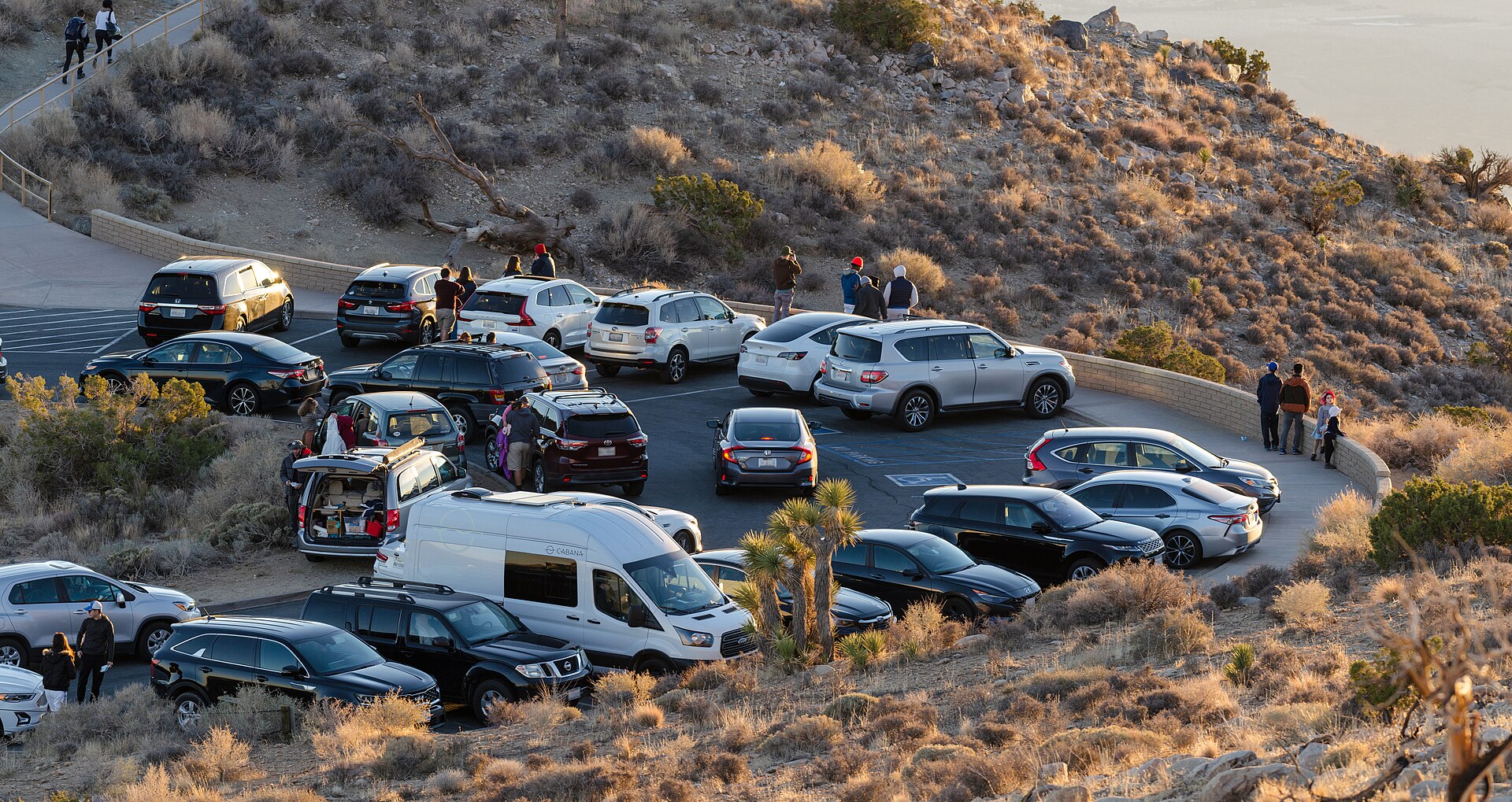
Image credit: “Keys View Parking Lot” by Michael Faist / Joshua Tree National Park (U.S. National Park Service), public domain, via Wikimedia Commons.
About the author: Lifei Zhou
Model Y owner since 2022Ontario STO registered apprentice · 310SWorks on Porsche, Mercedes, BMW, Audi weeklyHundreds of readers referred (est.)
Lifei is a Tesla owner based in Canada, writing practical, fact-checked Tesla guides for US and Canadian drivers — buying, ownership, insurance, charging, and TSLA investing, all from first-hand experience.