
Tesla in Hot Weather: Keep the Cabin Cool, Protect the Battery & Beat the Heat (2026)
Tesla in Hot Weather: Keep the Cabin Cool, Protect the Battery & Beat the Heat (2026)

In one sentence
How to keep your Tesla cool in summer heat: Cabin Overheat Protection, preconditioning, sunshades, battery care, and real-world hot-weather range loss.
When the mercury climbs into the 90s and beyond — a summer reality across Phoenix, Dallas, Miami, Los Angeles, and even much of Canada — your Tesla faces a very different set of challenges than it does in the depths of winter. Heat is quieter than cold. It won’t slash your range as dramatically on a single drive, but sustained high temperatures work on the battery, the cabin, the touchscreen, and your tires in ways that add up over a season. The good news: Tesla builds in some of the smartest heat-management tools of any car on the road, and a handful of inexpensive accessories cover the rest.
This guide walks through exactly what heat does to your car, how to use Cabin Overheat Protection and preconditioning the right way, and which sun-protection gear is actually worth buying. Everything here reflects 2026 model-year software and current Tesla guidance.
Disclosure: some links are affiliate/referral links, meaning we may earn a commission at no extra cost to you. See our disclosure page.
📋 Contents
- How Summer Heat Actually Affects Your Tesla
- Cabin Overheat Protection: Your First Line of Defense
- Cool the Cabin Before You Even Open the Door
- Sunshades, Tint, and Screen Protection That Actually Help
- Protecting the Battery Through a Hot Summer
- Tires and Other Hot-Weather Checks
- How Much Range Do You Really Lose in Summer?
- Thinking About Buying? Time It With the Referral Perk
- Frequently Asked Questions
- The Bottom Line
How Summer Heat Actually Affects Your Tesla
Heat touches four different systems, and it helps to separate them because the fixes are different for each:
- The battery. Lithium-ion cells prefer moderate temperatures. Persistent exposure to high heat accelerates the chemical aging that causes long-term capacity loss. Tesla counters this with an active liquid-cooling system that runs even while parked, but you can help it by not baking the car at a 100% charge in a sun-blasted lot day after day.
- Driving range. Counterintuitively, hot weather is gentler on range than cold — batteries are more efficient warm. The catch is air conditioning. Running the A/C hard, especially cooling a superheated cabin from scratch, can trim real-world range by roughly 10–15% on a hot day. Preconditioning while plugged in erases most of that penalty.
- The cabin. A closed car in direct sun becomes an oven fast — interior temperatures routinely pass 130°F (54°C). That’s a comfort problem, a safety problem for kids and pets, and over time it fades and cracks interior plastics and screens.
- Tires. Hot pavement and rising ambient temperatures increase tire pressure. Combined with the extra weight and instant torque of an EV, under- or over-inflated tires wear faster and can compromise handling.
Cabin Overheat Protection: Your First Line of Defense
Cabin Overheat Protection (COP) is a Tesla feature that keeps your parked car from turning into an oven. Once you leave and lock the vehicle, the car monitors interior temperature with multiple sensors and steps in if things get too hot. According to Tesla’s owner documentation, it runs for up to 12 hours after you exit, or until the battery charge drops below roughly 20%, whichever comes first.
You’ll find it under Controls → Safety (or in the climate menu on newer software) with these options:
- On — the A/C runs to keep the cabin at or below about 40°C (104°F), or a custom threshold on recent software.
- No A/C — only the fan runs, which keeps touch surfaces like seatbelt buckles and the wheel from becoming scalding, while using far less energy.
- Off — no protection.
COP is not the same as leaving climate running for a passenger or pet. Here’s how the parked-cooling modes compare:
| Mode | What it does | Battery use | Best for |
|---|---|---|---|
| Cabin Overheat Protection | Caps cabin near 40°C after you leave | Low–moderate | Everyday parking in the sun |
| Keep Climate On | Holds your exact set temperature indefinitely | Higher | Short errands, groceries in the car |
| Dog Mode | Holds set temp and shows a reassuring screen message | Higher | Pets left briefly |
| Camp Mode | Climate, power outlets, and screen stay on | Highest | Sleeping or relaxing in the car |
A practical rule: leave COP On for daily use, and reach for Dog Mode or Keep Climate On only when someone is actually in the car. For anyone regularly leaving a pet aboard, our Tesla Dog Mode guide covers the setup and safeguards in detail.
Cool the Cabin Before You Even Open the Door
The single biggest comfort upgrade in summer costs nothing: precondition from the app. A minute or two before you head out, open the Tesla app, tap the climate icon, and set your target temperature. The car cools itself while you finish your coffee, and you slide into a comfortable seat instead of a furnace.
Two tips make this far more efficient:
- Precondition while plugged in. If the car is on your charger, cooling draws from the wall rather than the battery, so it costs you essentially no range. Tesla explicitly recommends leaving the vehicle plugged in when using climate features in the heat.
- Use Scheduled Departure. Set a daily departure time and the car will have the cabin (and battery) ready without you lifting a finger — ideal for a fixed commute.
If you want to squeeze every mile out of the pack on a scorching day, our guide to maximizing Tesla range and efficiency digs deeper into climate strategy, tire pressure, and driving style.
Sunshades, Tint, and Screen Protection That Actually Help
Software keeps the cabin from becoming dangerous, but physically blocking sunlight is what keeps the dashboard, seats, and touchscreen from cooking. A few well-chosen accessories make a real difference — and they cost a fraction of a single dealer service visit.
The highest-impact item is a proper windshield sunshade. A custom-fit folding shade like the BASENOR foldable Tesla sunshade blocks the huge greenhouse of glass that Teslas are known for and can drop peak cabin temperature noticeably. It folds flat behind the seat when you’re done. Expect to pay in the low tens of dollars — cheap insurance against a faded dash.
Two more worth considering:
- A matte screen protector. That big center display sits in direct sun and glares badly at the wrong angle. A tempered-glass matte film such as the Spigen anti-glare screen protector cuts reflections and keeps fingerprints (and heat-baked smudges) off the glass. Note that you should never spray glass cleaner directly on the screen.
- An interior detailer for the dash. UV exposure is hard on soft-touch surfaces. Wiping the dash and door panels periodically with a gentle, non-greasy product like Meguiar’s interior detailer helps them resist fading and keeps the cabin looking new.
Window tint (professionally installed, and legal for your state) is the other big lever, but it’s an install job rather than an accessory. Together with a sunshade, quality tint can transform how a Tesla handles desert-grade heat. For a broader accessory checklist beyond summer, see our Tesla new-owner accessories guide.
Protecting the Battery Through a Hot Summer
You don’t need to baby the battery, but a few habits meaningfully slow heat-related aging:
- Park in the shade whenever you can. A covered garage or even a tree keeps both the cabin and pack cooler and reduces how hard the cooling system has to work.
- Stay plugged in. Leaving the car connected lets it thermally manage the battery using grid power. It also means preconditioning is free.
- Don’t sit at 100% in the heat. For daily driving, Tesla recommends keeping a non-LFP battery in the roughly 50–80% range. A full charge baking in the sun is the least battery-friendly combination. (LFP packs, found in Standard-range cars, are fine to charge to 100% regularly.)
- Let it precondition before Supercharging. When you navigate to a Supercharger, the car warms or cools the pack to the ideal charging temperature automatically. In extreme heat you may not see the on-screen message, but it’s still happening — and it protects both charging speed and battery health.
Heat is only one factor in long-term battery health. If you’re curious how Tesla packs actually hold up over the years, our deep dive on Tesla battery degradation lays out the real-world data.
Tires and Other Hot-Weather Checks
Rising temperatures raise tire pressure — roughly 1 PSI for every 10°F increase — and hot asphalt compounds the effect. Over-inflated tires ride harshly and wear unevenly in the center; under-inflated ones run hot and can fail. Because Teslas are heavy and torquey, tire health matters more than on a comparable gas car.
Check pressures when the tires are cold (before driving), early in the morning, and set them to the value on the door-jamb sticker — not the number molded into the tire sidewall. A pocket digital tire-pressure gauge costs about the price of a fast-food lunch and is more accurate than most gas-station dials. A couple of other quick summer checks:
- Top up washer fluid — bugs and heat haze mean you’ll use more.
- Keep a bottle of water and a basic sunshade in the frunk for roadside comfort.
- If you’re heading out on a long drive, plan Supercharger stops in advance; our Tesla summer road-trip guide covers charging strategy and packing.
How Much Range Do You Really Lose in Summer?
Here’s the reassuring part: summer range loss is modest compared with winter. The table below shows typical real-world efficiency versus the EPA-rated ideal. Your mileage varies with speed, terrain, and how aggressively you run the A/C.
| Conditions | Typical range vs. rated | Main cause |
|---|---|---|
| Mild spring/fall (60–75°F) | ~95–100% | Near-ideal battery temp |
| Hot day, A/C on (90–100°F) | ~85–90% | Air-conditioning load |
| Extreme heat + highway (100°F+) | ~80–85% | A/C plus high-speed drag |
| Deep winter (below 20°F) | ~65–75% | Cabin + battery heating |
In short: cold is the real range killer; heat is mostly a comfort-and-longevity issue you can manage with good habits and a sunshade.
Thinking About Buying? Time It With the Referral Perk
If a Tesla is on your shortlist — and summer road trips are a great excuse — ordering through a referral link currently adds 3 months of free Full Self-Driving (Supervised) on a new Model 3, Model Y, or Cybertruck; it generally doesn’t stack with the standard 30-day trial. If it helps, you’re welcome to use our Tesla referral link at checkout; it costs you nothing extra and unlocks the FSD trial. New to how it works? Our Tesla referral code guide explains the current program. Programs change, so confirm the offer on Tesla’s order page when you buy.
Frequently Asked Questions
Is it bad to leave my Tesla parked in the sun all day?
Occasionally, no. The battery’s active cooling and Cabin Overheat Protection handle it. What you want to avoid is the repeated combination of a 100% charge plus full sun in a hot climate day after day, which accelerates long-term battery aging. Park in shade and stay plugged in when you can.
Does Cabin Overheat Protection drain the battery a lot?
No. It typically uses a small percentage over a day and shuts off after 12 hours or once the charge drops below about 20%. Modes that hold your exact set temperature indefinitely — Keep Climate On, Dog Mode, Camp Mode — use noticeably more, so use those only when someone is in the car.
Should I precondition my Tesla in summer?
Yes — cooling the cabin from the app before you leave is far more efficient than blasting the A/C after you’re already driving, especially if the car is plugged in. The vehicle also preconditions the battery automatically when you navigate to a Supercharger.
What temperature should I keep the cabin at while parked with a pet?
Use Dog Mode and set a comfortable temperature (around 68–72°F / 20–22°C). Dog Mode displays a message reassuring passersby that the pet is safe, but never rely on it for long absences in extreme heat, and keep the charge topped up.
Do I need a sunshade if my car has Cabin Overheat Protection?
They solve different problems. COP keeps the air temperature from getting dangerous; a sunshade blocks the direct UV and radiant heat that fade your dashboard and bake the seats and screen. Using both keeps the cabin cooler and the interior looking new for far longer.
Does hot weather hurt Tesla range as much as cold?
Not nearly. Expect roughly 10–15% less range on a hot day with the A/C running hard, versus 25–35% in deep winter. Heat is more about long-term battery care and cabin comfort than a dramatic single-drive range hit.
The Bottom Line
- Leave Cabin Overheat Protection on for daily parking; save Keep Climate On and Dog Mode for when someone’s aboard.
- Precondition from the app before you drive — free and painless if you’re plugged in.
- A windshield sunshade is the best few dollars you’ll spend to protect the interior and cut cabin heat.
- Protect the battery by parking in shade, staying plugged in, and avoiding a 100% charge baking in the sun.
- Check tire pressures cold, and remember summer range loss (~10–15%) is far milder than winter’s.
Authoritative sources: Tesla — Summer Driving Tips, Tesla Owner’s Manual — Hot Weather Best Practices, fueleconomy.gov — EV technology & temperature, and the U.S. DOE Alternative Fuels Data Center on EV batteries.
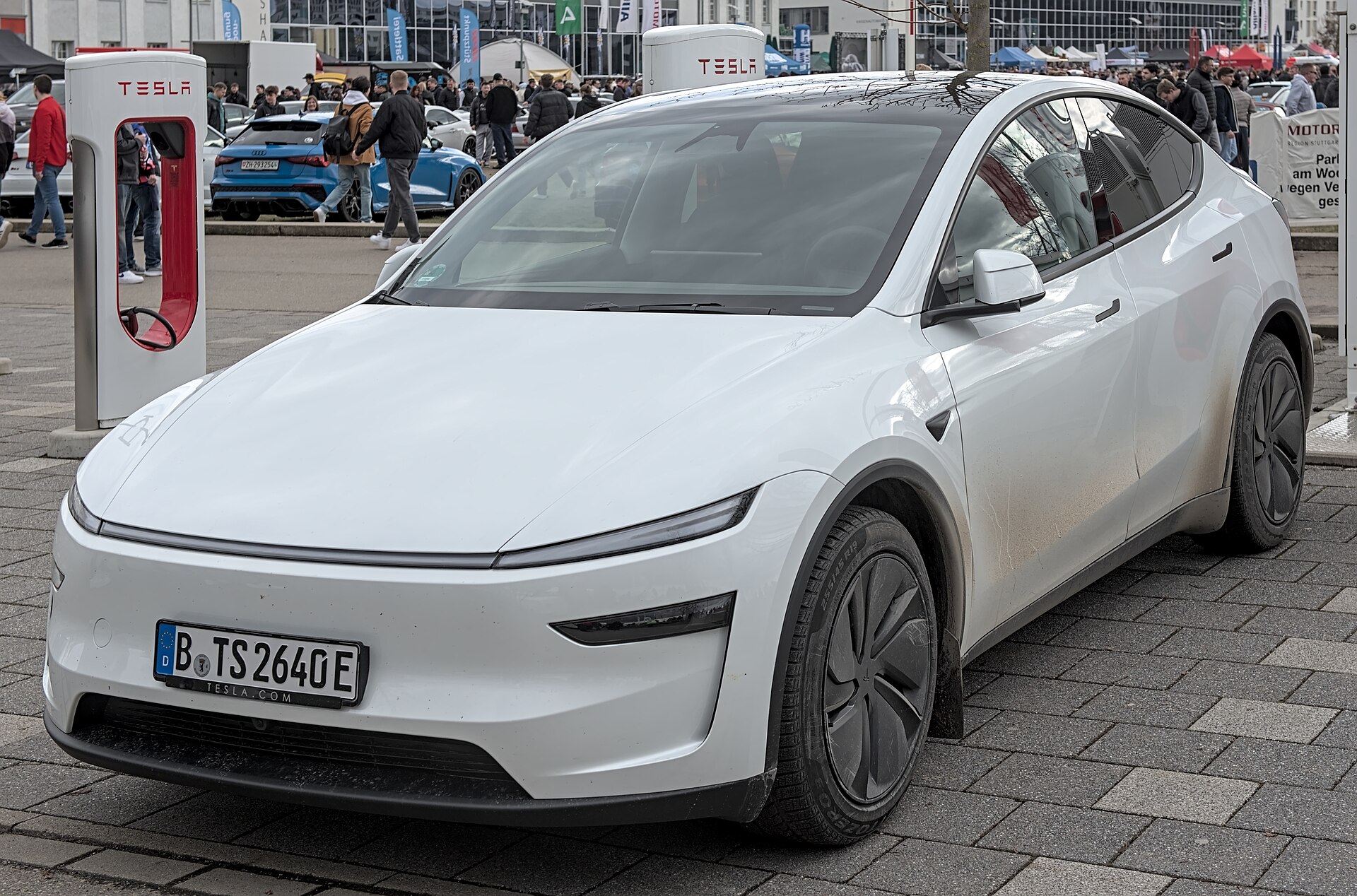
Information is current as of August 2026 and reflects 2026 model-year software and Tesla guidance; features, pricing, and referral offers change, so verify details on Tesla’s official pages before you buy. This article is for general information only and is not professional advice. Some links are affiliate or referral links — see our disclosure page. Image credit: Alexander Migl, CC BY-SA 4.0, via Wikimedia Commons.

About the author: Lifei Zhou
Model Y owner since 2022Ontario STO registered apprentice · 310SWorks on Porsche, Mercedes, BMW, Audi weeklyHundreds of readers referred (est.)
Lifei is a Tesla owner based in Canada, writing practical, fact-checked Tesla guides for US and Canadian drivers — buying, ownership, insurance, charging, and TSLA investing, all from first-hand experience.